How to accept international payments on your website: currencies, payment methods and fees
How to accept international payments on your website: a multi-currency checkout, cards and wallets, what it costs, payouts and a go-live checklist.
On this page
- What do you need to accept international payments?
- Three ways to accept international payments on your website
- Which payment methods should an international checkout offer?
- How to accept payments in multiple currencies
- Show the checkout in your buyer's language
- What does it cost to accept international payments?
- When is an international payment really yours?
- Can you accept international payments without a company?
- A go-live checklist
- Summary
To accept international payments on your website you need three things: a checkout that overseas buyers can actually pay on, in their currency and with the method they use at home; an account that holds the money once the payment is confirmed; and a way to pay that money out to your bank. An international payment gateway such as KukoPay bundles all three: a hosted checkout, a balance per currency, and payouts to a reviewed settlement account.
This guide covers the decisions that matter when you start accepting payments from abroad: how to connect your site, which payment methods to offer, how to accept payments in multiple currencies, what it costs, and when the money is really yours. The figures are KukoPay's, and each one links to the doc it comes from.
What do you need to accept international payments?
| You need | Why | With KukoPay |
|---|---|---|
| A checkout page | Takes card numbers and wallet authorizations without your server touching them | A hosted checkout at checkout.kukopay.com |
| Payment methods buyers know | A buyer without a method they trust leaves the page | Cards, Apple Pay, Google Pay, Alipay, WeChat Pay, PayPal |
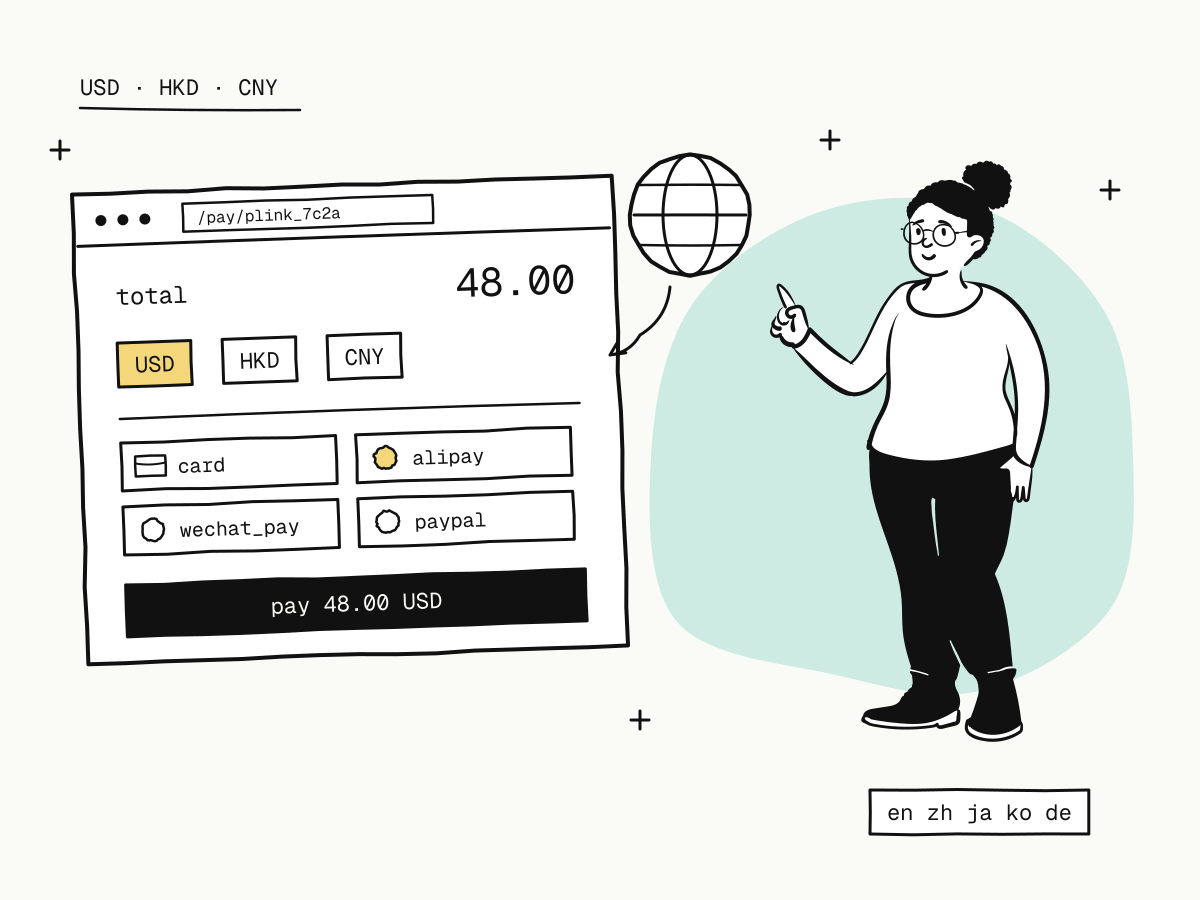
| Currencies | A price in the buyer's currency converts better than one they have to work out | USD, HKD, CNY |
| A balance and payouts | Payments are credited, refunds and disputes are taken from it, the rest is paid out | A wallet per currency, paid out to a reviewed bank account |
| Verification | Live payments need a verified business or person | Companies in or outside mainland China, sole proprietorships and individuals |
Everything can be built and tested in the sandbox before verification. Live keys are refused with 403 merchant_not_approved until your account is approved, so test code cannot charge a real card by accident.
Three ways to accept international payments on your website
Payment links: no code at all
A payment link is a fixed URL for a fixed amount. Put it behind a "Buy" button, in an email or in a chat, and every visit becomes a new order with its own checkout. It suits a small catalogue, invoices, deposits and pre-orders, and is the fastest way to start accepting international payments while you decide whether to integrate further.
A hosted checkout through the API
For a shop or a SaaS with its own orders, your server creates an order and sends the buyer to the returned checkout_url:
curl -X POST "https://api.kukopay.com/v1/orders" \
  -H "Content-Type: application/json" \
  -H "X-Api-Key: $KUKOPAY_API_KEY" \
  -d '{
    "out_trade_no": "ORD_20261102_0001",
    "amount": 4800,
    "currency": "USD",
    "subject": "Annual plan",
    "notify_url": "https://shop.example.com/webhooks/kukopay",
    "return_url": "https://shop.example.com/orders/complete"
  }'
Amounts are integers in the currency's minor unit: 4800 is $48.00. A retry with the same out_trade_no and the same content returns the same order, so a network timeout cannot create two. The full field list is in create an order.
A plugin for the storefront you already run
Self-hosted storefronts and panels that speak the epay (易支付) protocol — Xboard, V2Board, SSPanel, Dujiaoshuka — connect with four settings and no code. How the signature and notifications work is in the epay integration guide.
Which payment methods should an international checkout offer?
The right mix depends on where your buyers are. Cards reach most of the world; wallets win in the markets where they are the default way to pay.
| Method | Typical buyers | Fee group |
|---|---|---|
| Card | Most countries; Visa, Mastercard, American Express, UnionPay | card |
| Apple Pay, Google Pay | Mobile buyers who already saved a card in the wallet | card |
| Alipay, WeChat Pay | Buyers in mainland China | local_wallet |
| PayPal | Buyers who prefer not to type a card number | other |
The checkout shows only the methods enabled on your account that are actually available for the order, and you can hide any enabled method yourself. If you sell to Chinese customers, the two wallets deserve their own look: how to accept Alipay and WeChat Pay online covers how buyers pay with them and the refund deadlines that come with them.
On a live account a base set of methods is enabled at approval; you request more one at a time under Settings → Payment methods in the dashboard, as described in merchant onboarding.
How to accept payments in multiple currencies
KukoPay takes orders in USD, HKD and CNY. The sandbox allows all three; a live account uses the currencies enabled for it at approval.
Each currency is its own wallet. An order paid in HKD is credited to the HKD balance, refunded from it and paid out from it. Nothing is converted automatically, which means there is no hidden exchange margin between the price your buyer saw and the amount you receive. Two consequences for how you price:
- Price in the currency you want to be paid out in wherever your market allows it. A US-dollar product priced in USD and paid out in USD never touches an exchange rate on the platform.
- Keep currencies apart in your own books. Reconcile per currency, as the dashboard does, rather than adding USD and HKD totals together.
Show the checkout in your buyer's language
A checkout in the buyer's own language is one of the cheapest conversion gains in cross-border payments. Add &locale= to the checkout_url (or ?locale= to a payment link) with en, zh, ja, ko or de. Without it the checkout is in English; it deliberately does not follow the browser, so the same link always looks the same. Send a Japanese audience ?locale=ja and a Chinese one ?locale=zh — the orders and counts of the link are shared.
What does it cost to accept international payments?
Standard pricing is 3.5% plus a fixed fee per successful payment, and the fixed fee follows the order currency: $0.30 on USD, HK$2.35 on HKD, ¥2.00 on CNY.
$48.00 card payment     fee = round(4800 × 3.5% + 30)    = 198    → $1.98,   net $46.02
HK$380.00 card payment  fee = round(38000 × 3.5% + 235)  = 1565   → HK$15.65, net HK$364.35
Because the fixed fee does not shrink with the order, small orders carry a higher effective rate. The guide to cross-border payment fees works through small orders, refunds and why a fee never exceeds the order, and the rules are in fees and settlement.
Getting the money out costs a flat $5.00 per payout, with a minimum of 100.00 in the payout's currency (US$100, HK$100 or ¥100). Fewer, larger payouts are therefore cheaper than many small ones. See payouts.
When is an international payment really yours?
Accepting international payments means accepting three facts about timing:
- A payment counts when the processor confirms it, not when the buyer lands back on your site. KukoPay re-reads every payment from the channel and checks amount and currency before crediting it, and a reconciliation job keeps checking unresolved orders, so a buyer closing the tab does not lose the payment. Fulfil on the verified webhook — return_url vs notify_url explains why the redirect is not proof.
- Webhooks are retried, so the same event can arrive twice. Fulfil each order once: duplicate payment webhooks shows the database pattern.
- A buyer can dispute a card payment long after the sale. The disputed amount is frozen as soon as the case opens. The chargeback guide covers the evidence and the rate thresholds to stay under.
Can you accept international payments without a company?
Yes. A person aged 18 or over with no business licence can open a live account with their own identity document. Individual accounts come with payment limits, are paid out only to a personal account in their own name, and cannot sell digital goods or online games. The rules are laid out in accepting international payments as an individual.
A go-live checklist
Build against the sandbox
Use a kuko_test_ key and the sandbox test cards to try success, decline and 3D Secure. The sandbox wallet starts with $5,000.00 of test funds for refunds and payouts.
Get verified
Submit your business or identity documents, the currencies you need and what you sell. See merchant onboarding.
Choose your methods and currencies
Check which methods are enabled, request the ones your buyers use, and hide the ones you do not want shown.
Wire up notifications
Give live orders a public HTTPS notify_url or a webhook endpoint subscribed to payment.succeeded, payment.failed, refund.succeeded and dispute.created, and verify every signature.
Switch the key
Swap kuko_test_ for a kuko_live_ key on your server. The endpoint, fields and checkout stay the same.
Summary
- To accept international payments you need a checkout, methods buyers trust, a balance per currency and payouts;
- start with a payment link, move to the API or a plugin when you need your own orders;
- price in the currency you want to receive: each currency is its own wallet and nothing is converted automatically;
- send buyers a checkout in their language with
locale; - the fee is 3.5% plus a per-currency fixed fee, a payout is $5.00 flat;
- fulfil on the verified webhook, once.
Ready to try it? Create a sandbox account and follow the quickstart — your first test order takes a few minutes.
Try it in the sandbox
Create a merchant account and request a test key. The sandbox needs no business verification.