Duplicate payment webhooks: verify signatures and stay idempotent so you only fulfil once
Payment webhooks are retried, so one payment can reach you twice. Fulfil it exactly once with HMAC-SHA256 checks, a unique event ID and a transaction.
On this page
- Why do payment webhooks arrive more than once?
- Step 1: verify the signature against the raw body
- Step 2: deduplicate on the event ID, in the same transaction as fulfilment
- Step 3: answer 2xx fast and queue the slow work
- Is subscribing to "payment succeeded" enough?
- What if every delivery failed?
- Creating orders needs idempotency as well
- Checklist before going live
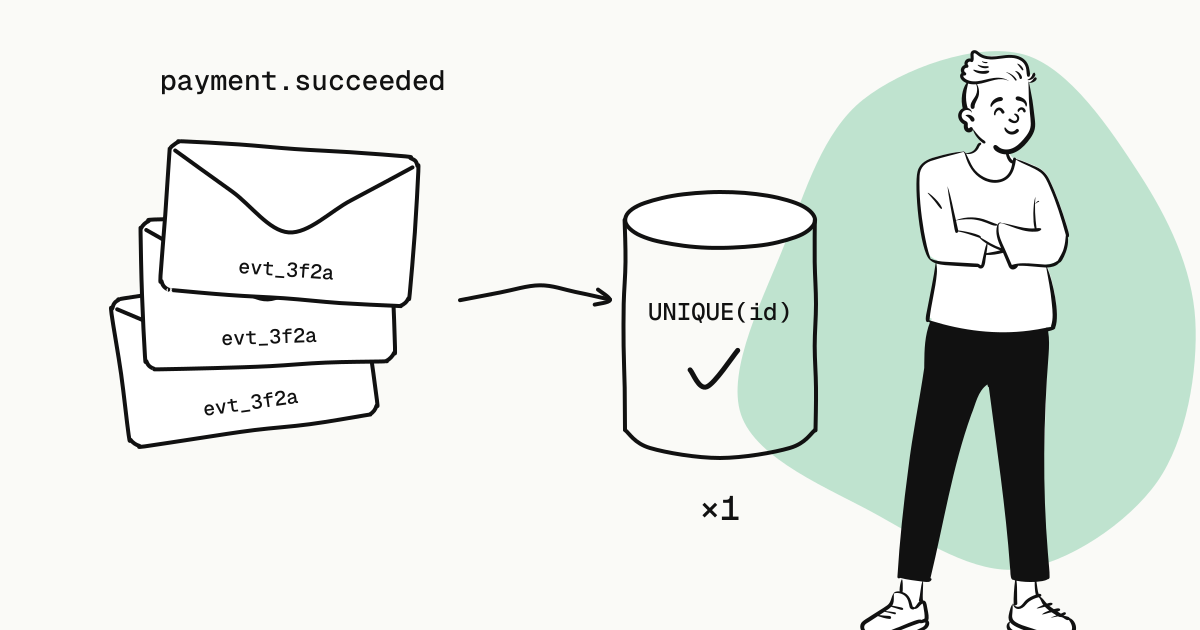
Duplicate webhook deliveries are normal, not a platform bug. Timeouts, a receiver restarting, a response lost on its way back — each can make the same event arrive more than once. There are only three rules for handling them:
- Verify the signature against the raw request body before doing anything else;
- Put a unique constraint on the event
id, and record it in the same database transaction as the fulfilment; - Answer 2xx quickly and hand slow work to your own queue.
The examples below use KukoPay's webhooks; the three rules apply to any payment platform's notifications.
Why do payment webhooks arrive more than once?
From the platform's side a delivery has two outcomes: a 2xx within the time limit, or not. KukoPay expects a 2xx within 10 seconds; anything else counts as a failure and is retried on this schedule, six attempts in all:
first attempt → 30 s → 2 min → 10 min → 30 min → 2 h
Note that "failure" is decided on the platform's side. In each of these cases your system has already shipped the order while the platform believes the delivery failed:
- before responding, you called a slow shipping API and took longer than 10 seconds;
- the process crashed after doing the work but before sending the response;
- the response was lost on the network.
So the same event comes again. A retried event keeps the same id, and that is what you deduplicate on.
Step 1: verify the signature against the raw body
Every delivery carries a signature header:
X-KukoPay-Signature: t=1758268800,v1=9c1f...The signature is the hex HMAC-SHA256(secret, "{t}.{raw request body}"). Three details trip people up:
- Use the raw request bytes. Parse the JSON and serialise it again, and a change in key order or whitespace breaks the match. Many frameworks parse the body for you; you need to get at the raw body explicitly.
- Reject stale timestamps. If
tis more than 5 minutes from now, refuse the request, so an intercepted request cannot be replayed later. - The header can carry several
v1=entries. For 24 hours after a signing secret is rotated, the platform signs with both the old and the new secret; either match is valid. Parse the header into an object with something likeObject.fromEntriesand only the lastv1survives, so every verification fails during the rotation.
import crypto from "crypto"

export function verify(rawBody, header, secret) {
  const parts = header.split(",").map((item) => {
    const i = item.indexOf("=")
    return [item.slice(0, i).trim(), item.slice(i + 1).trim()]
  })
  const t = parts.find(([k]) => k === "t")?.[1]
  const candidates = parts.filter(([k]) => k === "v1").map(([, v]) => v)
  if (!t || candidates.length === 0) return false
  if (Math.abs(Date.now() / 1000 - Number(t)) > 300) return false

  const expected = Buffer.from(crypto.createHmac("sha256", secret).update(`${t}.${rawBody}`).digest("hex"))
  return candidates.some((c) => {
    const b = Buffer.from(c)
    return b.length === expected.length && crypto.timingSafeEqual(b, expected)
  })
}
Python and PHP versions are in the webhook docs (Chinese reference).
Step 2: deduplicate on the event ID, in the same transaction as fulfilment
The most reliable place to deduplicate is the database. Keep a table of processed events with the event id as its primary key:
CREATE TABLE processed_events (
  event_id    text PRIMARY KEY,
  received_at timestamptz NOT NULL DEFAULT now()
);
When handling a delivery, insert the event id first, in the same transaction, and fulfil only if the insert took effect:
BEGIN;
INSERT INTO processed_events (event_id) VALUES ('evt_3f2a9c7e1b4d0568a2cf')
  ON CONFLICT (event_id) DO NOTHING;
-- 0 rows affected: already processed — COMMIT and answer 2xx
-- 1 row affected: update the order and grant access in this same transaction
UPDATE orders SET status = 'paid' WHERE out_trade_no = 'ORD_20260921_0001' AND status = 'pending';
COMMIT;
Why does it have to be one transaction? Look at the usual alternatives:
| Approach | What goes wrong |
|---|---|
| Keep a set of processed IDs in memory | It is lost on restart, and with several instances each keeps its own, so two concurrent deliveries both get through |
| Fulfil first, record the event ID afterwards | A crash between the two means the retry fulfils a second time |
| Record the event ID first, fulfil outside the transaction | If recording succeeds and fulfilment fails, the retry is skipped as "already processed" and the order is never fulfilled |
With "record the event" and "change the business state" in one transaction, both commit or both roll back, and duplicates become harmless.
The AND status = 'pending' in the update is a second guard: even when two different event IDs describe the same payment (say you use a per-order notify_url and also backfill from the Events API), an order moves from pending to paid only once.
Step 3: answer 2xx fast and queue the slow work
Verifying, writing the event row and updating the order should take milliseconds. Sending email, notifying a warehouse or calling a third-party provisioning API belongs in your own job queue; enqueue it and answer 2xx immediately.
One more reason to point the webhook at the handler itself: the platform does not follow redirects, so a 3xx counts as a failure. Use the URL of the endpoint that processes the request, not your homepage.
Is subscribing to "payment succeeded" enough?
No. With only payment.succeeded, you can only find out by polling that an order failed or expired. Before going live, subscribe to at least:
payment.succeeded,payment.failed,payment.expiredrefund.succeeded,refund.faileddispute.created
refund.succeeded is sent only after the refund has really been debited; dispute.created is sent the moment a chargeback opens — see chargebacks and disputes.
What if every delivery failed?
Your receiver was down for a day, retries ran out, or you never configured an endpoint — the events are still there. KukoPay records everything that happens on an account as an event first; a delivery is just one attempt to tell you. Pull events back by time range from the Events API and run them through the same handler:
curl -G "https://api.kukopay.com/v1/events" \
  -H "X-Api-Key: $KUKOPAY_API_KEY" \
  -d type=payment.succeeded \
  -d "created[gte]=2026-09-20T00:00:00Z"
The data.object returned by the Events API is identical to the one in the webhook, so the deduplication table above applies unchanged. The dashboard keeps the webhook delivery log for 30 days, and once the receiver is fixed you can resend from there too.
Creating orders needs idempotency as well
Webhook idempotency handles "the same result announced several times"; request idempotency handles "the same request sent several times". After a timeout you cannot tell whether the order was created, so resend the identical request:
out_trade_no(your order number) is itself an idempotency key: an identical repeat returns the order created the first time;- add an
Idempotency-Keyheader as well, and the platform replays the first response for 24 hours.
How the two layers differ, with a complete retry loop, is in idempotency and retries.
Checklist before going live
- Signatures are verified against the raw body, and timestamps older than 5 minutes are rejected
- Every
v1=in the signature header is compared - The event
idhas a unique constraint and is recorded in the fulfilment transaction - The handler answers 2xx within 10 seconds; slow work goes to a queue
- Failure, expiry, refund and dispute events are subscribed
- There is a script that backfills from the Events API by time range
Under Developers → Sandbox testing you can send a test webhook in exactly the format and signature of a real one; have your receiver return 500 and watch the same event id arrive again.
Try it in the sandbox
Create a merchant account and request a test key. The sandbox needs no business verification.