How to accept Alipay and WeChat Pay online: a guide for international merchants
How to accept Alipay and WeChat Pay online as a merchant outside China: how buyers pay, enabling both wallets, fees, refund deadlines and sandbox tests.
On this page
- Why accept Alipay and WeChat Pay?
- How does a buyer pay with Alipay or WeChat Pay?
- How to accept Alipay payments online (and WeChat Pay) with KukoPay
- How much does it cost to accept Alipay and WeChat Pay?
- Alipay and WeChat Pay refunds have a deadline
- Which currency should an Alipay or WeChat Pay order use?
- How do you test Alipay and WeChat Pay payments?
- Summary
You do not need a Chinese company or a contract with each wallet to accept Alipay and WeChat Pay online. A cross-border payment provider that already supports them adds both wallets to your checkout, next to cards. With KukoPay, Alipay and WeChat Pay are payment methods on the same hosted checkout and the same API: a buyer in mainland China pays in the app they use every day, and you are credited and notified exactly as for a card payment.
This guide explains how accepting Alipay and WeChat Pay differs from cards — how the buyer pays, how to turn the wallets on, what they cost, the refund deadline that catches merchants out, and how to test all of it before going live.
Why accept Alipay and WeChat Pay?
For many buyers in mainland China the wallet, not a card, is how they pay online. A checkout that offers only international cards loses exactly those buyers at the last step. Offering Alipay and WeChat Pay next to cards lets each buyer pay the way they already do, with no card number to type and nothing to convert in their head.
Both wallets sit in the same local_wallet fee group on KukoPay, are enabled through the same request, and settle into the same per-currency balance as everything else.
How does a buyer pay with Alipay or WeChat Pay?
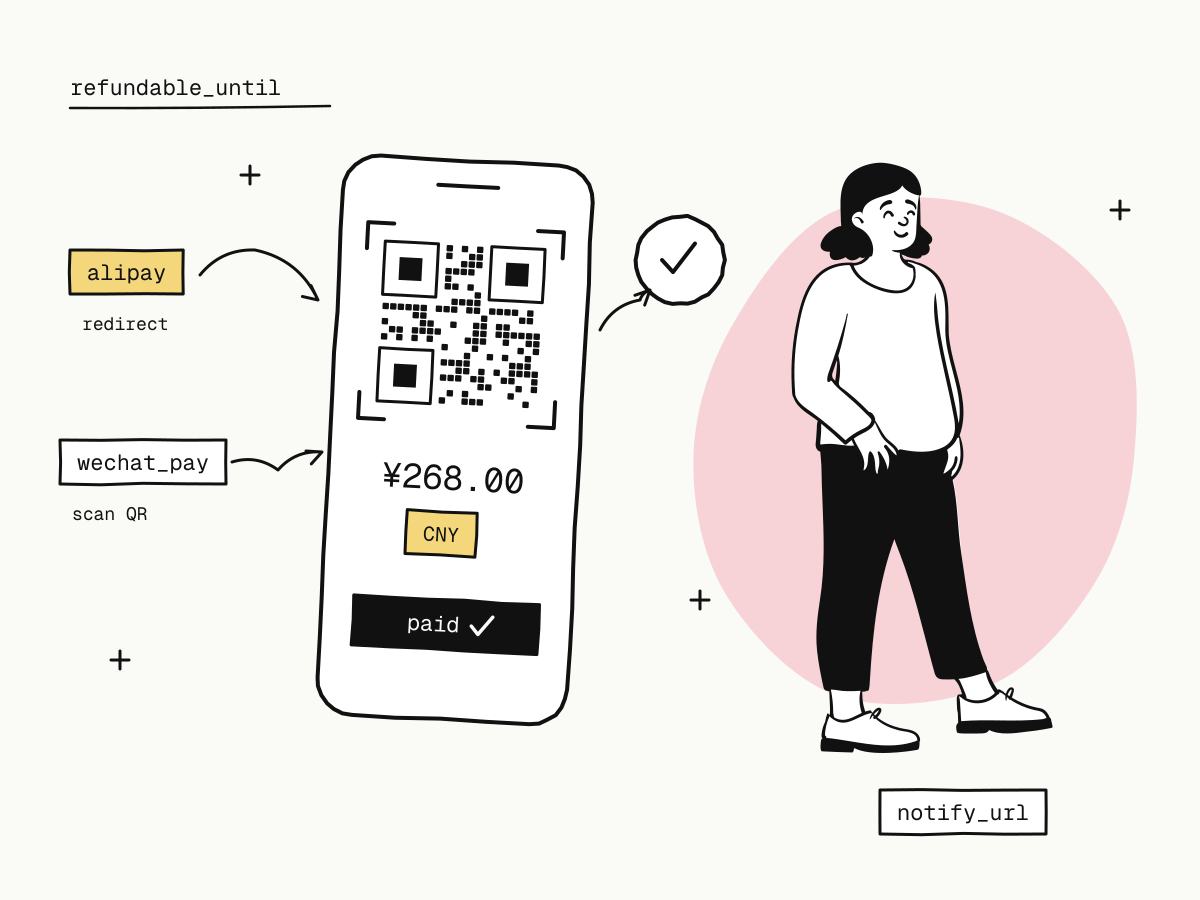
Unlike a card, a wallet payment is approved in the wallet itself:
| Alipay | WeChat Pay | |
|---|---|---|
| What the buyer does | Is redirected to Alipay and approves the payment there | Scans a QR code with WeChat and approves it in the app |
| Where the buyer ends up | Back on the checkout | Back on the checkout |
| What tells you it is paid | The payment.succeeded webhook | The payment.succeeded webhook |
Two things follow from the buyer leaving your page:
- The redirect is not proof of payment. A buyer can approve in the wallet and never come back, or come back before the payment is confirmed. Fulfil only on the verified webhook or a server-side order lookup; return_url vs notify_url explains why.
- Changing their mind is safe. If a buyer starts a wallet payment, comes back and picks a card instead, the checkout first cancels the unfinished wallet payment and only then starts the new one. If the buyer had in fact approved it in the meantime, that payment is credited and they are not asked to pay twice. In the rare case a payment arrives after the order was already paid or had expired, it is refunded to the buyer in full automatically and you receive
payment.duplicate_refunded.
How to accept Alipay payments online (and WeChat Pay) with KukoPay
Test in the sandbox first
Every payment method, Alipay and WeChat Pay included, is available in the sandbox with no request needed. See testing the wallets below.
Get verified
Mainland companies, sole proprietorships, companies registered outside mainland China and individuals can all apply. A company outside mainland China is verified on its own certificate of incorporation, so no Chinese entity is needed. See merchant onboarding.
Enable the wallets
A base set of payment methods is enabled at approval. If Alipay or WeChat Pay is not among them, open Settings → Payment methods in the dashboard and click Request next to each, describing your business. The rate agreed for one of them applies to the whole local_wallet group, so it covers the other as well.
Create orders as usual
Nothing in the API is wallet-specific. Create an order with POST /v1/orders or share a payment link, and the checkout shows the wallets to the buyer. You can switch any enabled method off for your checkout without asking anyone.
Show Chinese buyers a Chinese checkout
The checkout is English by default and does not follow the browser. Pass "locale": "zh" when creating the order, or add &locale=zh to the checkout_url (?locale=zh on a payment link), so Chinese customers read the page in Chinese.
If you run a storefront that speaks the epay (易支付) protocol, there is nothing to build: Alipay and WeChat Pay appear on the checkout automatically, and the notification's type reports alipay or wxpay for the method the buyer actually used. The epay integration guide covers the signature and notification details.
How much does it cost to accept Alipay and WeChat Pay?
Alipay and WeChat Pay are priced together in the local_wallet fee group. At standard pricing that is 3.5% plus the order currency's fixed fee ($0.30 on USD, HK$2.35 on HKD, ¥2.00 on CNY) per successful payment — the same list price as cards, though signed rates can differ per group.
¥268.00 order paid with WeChat Pay
fee        = round(26800 × 3.5% + 200) = 1138   → ¥11.38
net amount = 26800 - 1138             = 25662   → ¥256.62
The order object records the rate actually applied in fee_details, with fee_group: "local_wallet", so a later price change never rewrites a settled order. More worked examples, including small orders, are in how cross-border payment fees are calculated.
Alipay and WeChat Pay refunds have a deadline
This is the difference merchants most often discover too late: Alipay and WeChat Pay payments can only be refunded within a limited window after the payment.
KukoPay puts that deadline on the order as refundable_until (it is null when the method has no known limit). A refund requested after it is refused with HTTP 400 and refund_window_expired: nothing is deducted from your balance and nothing is sent to the channel. Anything after the deadline has to be settled with the buyer directly.
What to do about it:
- Read
refundable_untilwhen you store the order, and show it to your support team next to the order. - Process refund requests promptly rather than in a monthly batch.
- Refund in parts if you need to. Several partial refunds are allowed up to the order amount, and fees are not returned with a refund. See create a refund.
Which currency should an Alipay or WeChat Pay order use?
Orders are created in USD, HKD or CNY (live accounts use the currencies enabled for them). Each currency is a separate wallet balance: a CNY order is credited, refunded and paid out in CNY, and nothing is converted automatically. The checkout offers only the methods actually available for the order, so a method that cannot take a given order is not shown rather than failing at the last step.
If most of your Alipay and WeChat Pay buyers are in mainland China and you are paid out in CNY, pricing those products in CNY keeps the whole path in one currency. More on choosing currencies is in how to accept international payments on your website.
How do you test Alipay and WeChat Pay payments?
In the sandbox, choosing Alipay or WeChat Pay at checkout opens a test approval page instead of the real wallet. On it you can:
- Approve — the order becomes
paidandpayment.succeededis sent, even if the buyer closes the browser on the approval page; - Decline — the order stays
pendingand the buyer can choose another method; - Go back without deciding — the unfinished payment is cancelled before a new one starts, so a later click on the old page charges nothing.
Use all three to check that your return page only reads state, and that your webhook handler fulfils each order once — duplicate payment webhooks shows how. The full list of sandbox scenarios is in sandbox testing.
Summary
- You can accept Alipay and WeChat Pay online through a cross-border payment provider, with no separate wallet contracts;
- the buyer approves in the wallet (a redirect for Alipay, a QR code for WeChat Pay), so fulfil on the webhook, not the redirect;
- on KukoPay both wallets share the
local_walletfee group: 3.5% plus the currency's fixed fee at standard pricing; - wallet refunds have a deadline,
refundable_until— refund promptly; - show Chinese customers a Chinese checkout with
locale=zh; - test approve, decline and abandon in the sandbox before going live.
Try it in the sandbox
Create a merchant account and request a test key. The sandbox needs no business verification.