Payment webhook not received? A checklist to find the cause and recover missed events
Payment webhook not received? Check the delivery history, the URL, timeouts, signatures and subscriptions, then recover missed events from the events API.
On this page
A payment webhook not received is one of the most common integration problems — and almost always one of a handful of causes: the request never left because no endpoint was subscribed, it reached a URL that answered with an error or a redirect, it took longer than the timeout, or it arrived and your own code rejected it. The good news is that a missed webhook does not mean a missed payment: the payment is recorded either way, and the event can be fetched again.
This checklist walks through how to find out why a webhook was not received, how to fix each cause, and how to recover every event you missed.
First: was the webhook ever sent?
Before debugging your server, look at the platform's side. In the dashboard, Developers → Webhooks shows Webhook deliveries for the last 30 days, each with its event, reference, Attempts and Last result:
| What the delivery history shows | What it means | Where to look next |
|---|---|---|
| No delivery at all for the event | Nothing was subscribed to receive it | Subscriptions and endpoints |
| Could not connect | The URL did not answer — DNS, TLS, firewall or a server that is down | The URL |
| Your endpoint returned HTTP 4xx/5xx | It arrived, and your server rejected or failed it | Your handler |
| Your endpoint returned HTTP 3xx | Your server redirected it, which counts as a failure | The URL |
| Waiting to retry | It failed and the next retry is scheduled | Fix the cause; the retry picks it up |
| Retries exhausted | All six attempts failed | Fix the cause, then Redeliver now |
| Delivered | Your endpoint answered 2xx in time | The problem is after receipt, in your own processing |
Developers → Events shows the same from the event's side: whether each event was Delivered, is Retrying, how many endpoints failed, or that there were no deliveries because nothing was configured.
Is anything subscribed to the event?
- No endpoint and no
notify_url. An order created without anotify_urlis delivered to the webhook endpoints of its app (and any account-wide ones) that subscribe to the event. If there are none, nothing is sent. A live order withoutnotify_urlis refused at creation unless an endpoint subscribes topayment.succeeded— but other events, such as refunds and disputes, still need a subscription. - Subscribed to the wrong events. Each endpoint has its own list of event types. Subscribing only to
payment.succeededis a common trap: you then never hear aboutpayment.failed,payment.expired, refunds or disputes. See the event types. - The wrong environment or app. Sandbox and live endpoints are separate, and an endpoint belongs to an app. An order created with a test key is never delivered to a live endpoint, and an order of one app does not go to another app's endpoints.
- A per-order
notify_urlwins. If the order was created withnotify_url, that URL receives the order's events instead of your endpoints — check the order before checking the endpoint.
Is the URL reachable from the internet?
- It must be public HTTPS. A
localhost, private-network or plain HTTP address is refused when the order is created; to test locally, expose your server with a tunnel such as cloudflared or ngrok. - Point it at the handler, not the homepage. Redirects are not followed — a 3xx is a failure — so
http → httpsorwwwredirects in front of the handler break delivery. Use the final URL. - Let the request through. Firewalls, WAF rules, bot protection and basic-auth in front of the endpoint all turn a webhook into a block page.
- Fixing the URL fixes the queue. Retries still waiting and manual redeliveries go to the endpoint's current URL, so correcting it rescues what is queued. (A per-order
notify_urlstays as it was given.)
Did your handler reject it?
- Signature verification failed. Verify against the raw request body, before any JSON parsing or re-serialising — a body that is parsed and re-encoded no longer matches. During a secret rotation the
X-KukoPay-Signatureheader carries severalv1=signatures; accept the request if any of them matches. Parsing the header with something likeObject.fromEntrieskeeps only the last one and fails every delivery for 24 hours. - The timestamp check is too strict — or your server clock is wrong. Reject only timestamps more than five minutes old, and keep the clock in sync.
- The handler crashes on an event it does not expect. Answer 2xx for event types you do not handle, instead of throwing.
- Use the self-check. Signature self-check on the Webhooks page takes the raw body and the signature header you received and tells you whether the problem is the secret, a reformatted body or the timestamp.
Duplicate payment webhooks shows a handler that verifies and deduplicates correctly.
Did it time out?
A delivery counts only if your endpoint answers 2xx within 10 seconds. A handler that calls a slow shipping API, sends email or generates an invoice before responding will time out under load — and then be retried while it is still working. Answer first, work later: verify, record the event, return 2xx, and hand slow work to a queue.
How does webhook retry work?
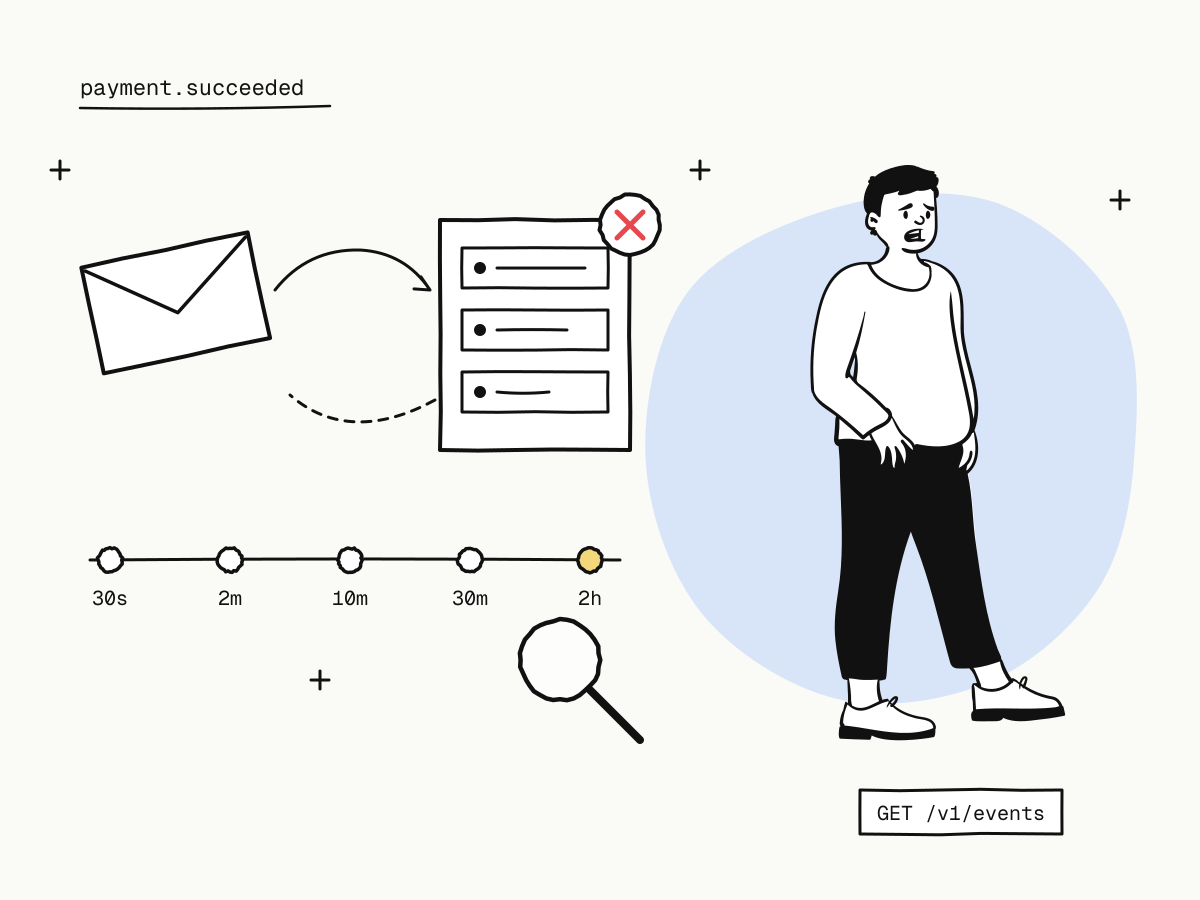
A failed delivery is retried on this schedule, six attempts in all:
first attempt → 30 s → 2 min → 10 min → 30 min → 2 h
- The event
idstays the same on every retry, so deduplicate on it. - Each endpoint retries on its own; one broken endpoint does not hold up the others.
- After the sixth failure there are no more automatic retries. Fix the cause and use Redeliver now in the delivery history.
How to recover missed webhook events
Even if every delivery failed — or no endpoint was ever configured — the events still exist. On KukoPay an event is recorded first and delivered second, so the events API is the recovery path:
# All successful payments from yesterday
curl -G "https://api.kukopay.com/v1/events" \
  -H "X-Api-Key: $KUKOPAY_API_KEY" \
  -d type=payment.succeeded \
  -d "created[gte]=2026-11-03T00:00:00Z" \
  -d "created[lte]=2026-11-03T23:59:59Z" \
  -d limit=100
The webhook body is the event object, so feed recovered events through the same handler. Because your handler deduplicates on the event id, replaying events you already processed is harmless. Delivery records are kept for 30 days; events themselves are not purged.
For a single order, the order lookup answers directly: only status: "paid" means it was paid.
Testing the webhook end to end
- Send test callback (under Developers → Sandbox testing) sends a correctly signed request to an endpoint or URL and shows exactly what was sent and what your server answered. Its
idstarts withevt_test_and it carries"test": true. - Simulate result on a sandbox order runs the real path — event, delivery and retries — without opening the checkout.
- Make your receiver answer
500once and watch the retry arrive with the same eventid.
Test credit card numbers for payment testing lists these with the other sandbox scenarios.
Never let a missing webhook decide an order
While you debug, remember the order is not lost: a reconciliation job keeps re-checking pending payments with the processor, and the buyer's redirect is not a result either way — see return_url vs notify_url. Do not mark orders failed because a webhook did not come; look them up, or recover the events.
Summary
- Start with the delivery history: no delivery, could not connect, an HTTP error or retries exhausted each point to a different cause;
- check subscriptions, environment, app and any per-order
notify_url; - use a public HTTPS URL that answers directly, with no redirect or firewall in the way;
- verify the raw body, accept any
v1=during rotation, and answer 2xx within 10 seconds; - a failed delivery is attempted six times over about 2 hours 45 minutes, then use Redeliver now;
- recover anything missed from the events API — events are recorded even when delivery fails.
Try it in the sandbox
Create a merchant account and request a test key. The sandbox needs no business verification.