Partial refunds explained: how to issue one, how long refunds take, and whether fees come back
How partial refunds work for online payments: issuing one, how long a refund takes, why processing fees are not refunded, refund deadlines and disputes.
On this page
- What is a partial refund?
- How to issue a partial refund
- How long does a refund take?
- Are payment processing fees refunded?
- Is there a deadline for refunds?
- Do you need a balance to refund?
- Can you refund a payment that is under a chargeback?
- Refund early to avoid a chargeback
- How to reconcile refunds
- How to test refunds before going live
- Summary
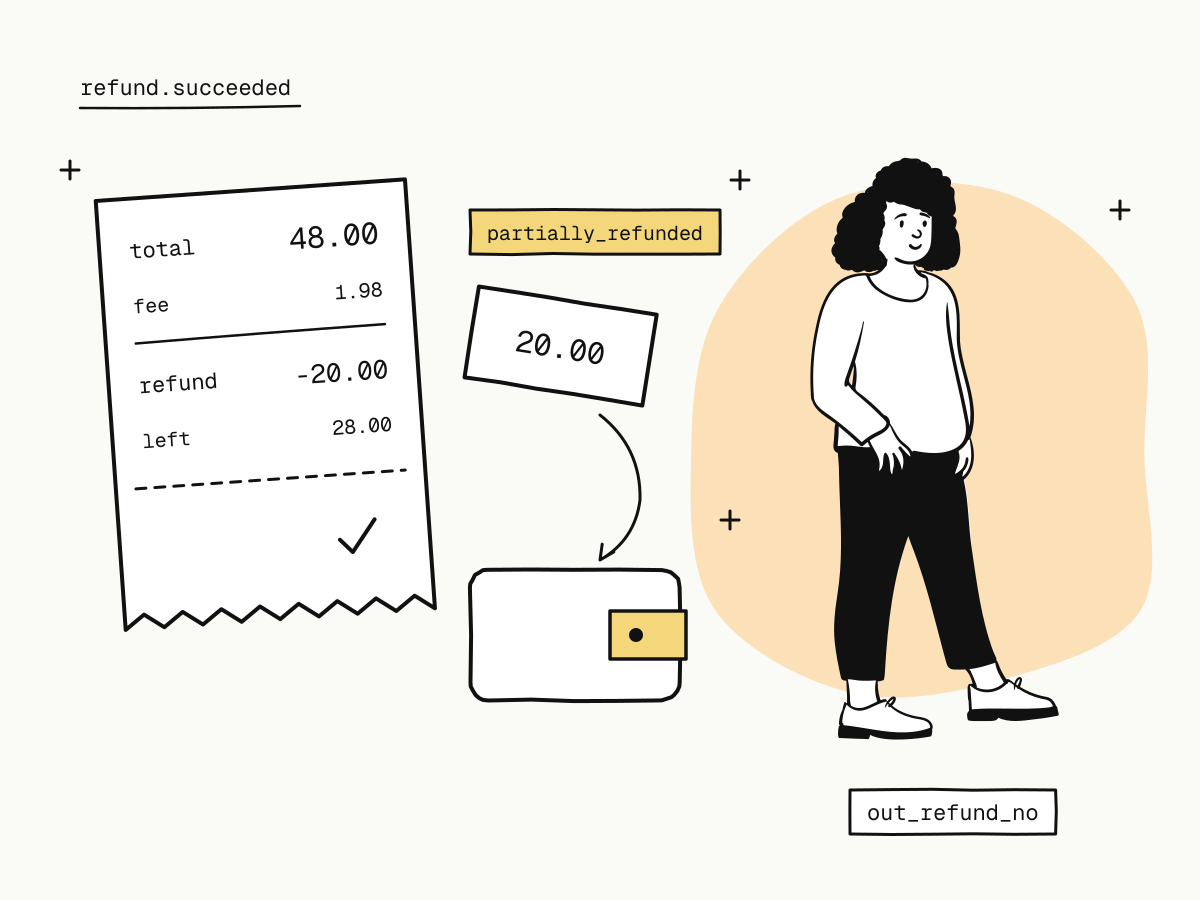
A partial refund returns part of a payment to the buyer instead of the whole amount — one item from a larger order, a price adjustment, a discount agreed after a complaint. You can usually issue several partial refunds against one payment, as long as together they do not exceed what the buyer paid.
Refunds look simple from the outside and have three details that catch merchants out: a refund can be pending before it is final, the original processing fee is not returned, and some payment methods can only be refunded for a limited time. This guide covers how to issue a partial refund, how long refunds take, what they cost you, and when a refund is not the right tool.
What is a partial refund?
| Full refund | Partial refund | |
|---|---|---|
| Amount returned | Everything that is left on the payment | Any amount up to what is left |
| How many | One closes the payment | Several, until the total reaches the paid amount |
| Order status on KukoPay | refunded | partially_refunded, then refunded once nothing is left |
Typical uses: one item out of stock in a multi-item order, a late delivery compensated with a discount, a downgrade mid-period, or shipping returned after the goods were collected.
How to issue a partial refund
In the dashboard
Find the order under Orders & refunds and click Refund. The dialog shows the order total, what has already been refunded and the maximum refundable now; enter the amount and choose a reason (for example Agreed with the customer or Buyer did not receive the goods or service). Every refund is then listed on the Refunds tab.
Through the API
curl -X POST "https://api.kukopay.com/v1/refunds" \
  -H "Content-Type: application/json" \
  -H "X-Api-Key: $KUKOPAY_API_KEY" \
  -d '{
    "trade_no": "TRD_9F3A...",
    "out_refund_no": "REF_20261104_0001",
    "amount": 2000,
    "reason": "One item out of stock"
}'amountis in the minor unit (2000is $20.00). Leave it out to refund everything that is left.out_refund_nois your refund number and the refund's idempotency key: retrying the same request after a timeout returns the same refund instead of refunding twice. It is required in live mode.- The refunds on one order can never add up to more than the order amount.
All fields are in create a refund.
How long does a refund take?
There are two clocks: when the refund is final on the platform, and when the buyer sees the money.
On the platform, a refund ends in one of two ways:
succeededstraight away — the channel confirmed it during the request.pending(HTTP 202) — the channel processes it asynchronously. The amount moves from your available balance to frozen, so it cannot be paid out while in flight. When the channel confirms, it is debited andrefund.succeededis sent; if the channel refuses, the frozen amount goes back to your available balance.
For a pending refund, check its status every 10 seconds for up to 5 minutes, then fall back to an occasional check — or simply wait for the refund.succeeded webhook. A reconciliation job keeps re-checking unresolved refunds on the platform's side too.
On the buyer's side, the time until the refund shows on their card or wallet depends on their bank or wallet, not on you. That is why it matters what you tell them.
While a refund is pending, do not tell the buyer the money is back. Tell them the refund has been requested; confirm it once refund.succeeded arrives.
Are payment processing fees refunded?
No. When you refund a payment, the processing fee you paid on it is not returned — whether the refund is full or partial. The buyer gets back the amount you refund; the fee was the cost of processing the original payment, and that processing happened.
$48.00 card payment     fee = round(4800 × 3.5% + 30) = 198   → you received $46.02
partial refund $20.00   the buyer gets $20.00, you are debited $20.00, the $1.98 fee stays
full refund   $48.00    the buyer gets $48.00, you are debited $48.00, the $1.98 fee stays
Two practical consequences:
- A full refund costs you the fee. Budget it as a cost of returns, not as money you will get back.
- Small orders hurt most, because the fixed part of the fee does not shrink with the order. How cross-border payment fees are calculated works through the effective rate on small orders.
Is there a deadline for refunds?
Some payment methods can only be refunded within a limited window — on KukoPay, Alipay and WeChat Pay among them. The order carries the deadline as refundable_until (null when there is no known limit). A refund requested after it is refused with 400 refund_window_expired, without touching your balance or reaching the channel; anything later has to be settled with the buyer directly. How to accept Alipay and WeChat Pay online has the details.
A refund that was already accepted before the deadline keeps its result: repeating the same out_refund_no afterwards still returns it.
Do you need a balance to refund?
Yes. A refund is paid from your available balance in the order's currency, so the balance must cover it. Money already frozen — another refund in flight, an open dispute, a payout being processed — is not available. If an open chargeback has pushed your available balance negative, new payments make it good first. Fees and settlement explains the available, withdrawable and frozen figures.
Can you refund a payment that is under a chargeback?
No. While an order has an open dispute, the refund request is refused with 409 conflict. The buyer's bank has already held that money back, so a refund would pay them twice. If you do not intend to contest the dispute, accept it and let it close as lost instead of refunding. The chargeback guide covers how disputes freeze and settle money.
Refund early to avoid a chargeback
A buyer who cannot get a refund from you can go to their bank instead — and a chargeback holds the money at once, adds a fee if you lose, and counts toward your chargeback rate. A refund does none of that. When a buyer has a fair claim, refunding promptly almost always costs less than waiting for it to become a dispute.
How to reconcile refunds
Every refund shows up in balance transactions as one or more rows:
| Type | Meaning |
|---|---|
refund_freeze | The refund was accepted; the amount moved to frozen |
refund_debit | The channel confirmed it; the amount left your balance |
refund_unfreeze | The channel refused it; the amount came back |
Each row references the refund, so a refund matches its ledger entries directly. Reconcile on the refund.succeeded event and these rows, not on the moment you clicked Refund.
How to test refunds before going live
Pay a sandbox order with the test card 4242 4242 4242 4242, then refund part of it, then the rest, and check the order moves from paid to partially_refunded to refunded and that a refund.succeeded webhook arrives for each. The sandbox wallet starts with $5,000.00 of test funds, so refunds have a balance to come from. The test cards and other scenarios are in test credit card numbers for payment testing.
Summary
- A partial refund returns part of a payment; several are allowed up to the amount paid;
- leave out
amountto refund the rest, and useout_refund_noso a retry never refunds twice; - a
pendingrefund is frozen, not final — confirm to the buyer onrefund.succeeded; - processing fees are not refunded, on full or partial refunds;
- Alipay and WeChat Pay have a refund deadline,
refundable_until; - refunds come from your available balance, and are refused while a chargeback is open;
- a prompt refund is cheaper than a chargeback.
Try it in the sandbox
Create a merchant account and request a test key. The sandbox needs no business verification.