Integrating the epay (易支付) protocol: MD5 signatures, notifications and three common pitfalls
How epay's submit.php, mapi.php and api.php fit together, how to compute the MD5 signature, set the order timeout and debug missing notifications.
On this page
- Which endpoints make up the epay protocol?
- How is the epay signature computed?
- Why does epay only notify successful payments?
- How should a notification be handled?
- Why should the order timeout be shorter than the connected system's?
- Why should order lookups use POST?
- The buyer paid, but the connected system never got the notification
- When should you not use epay?
epay (易支付) is a payment protocol built into many self-hosted storefronts and panels: V2Board, SSPanel, Dujiaoshuka (独角数卡) and the "EPay" payment method that ships with Xboard all speak it. To take payments, a merchant fills in four values — gateway URL, merchant ID (pid), merchant key (key) and notification URL (notify_url) — and writes no code.
The protocol is small. The trouble lives in three places: how the signature string is built, what a notification actually means, and an order timeout that disagrees with the connected system's own. This guide walks through each, using KukoPay's epay-compatible gateway as the example; the rules carry over to other epay providers.
Which endpoints make up the epay protocol?
A complete integration uses three addresses, appended to the gateway URL:
| Address | Method | Purpose |
|---|---|---|
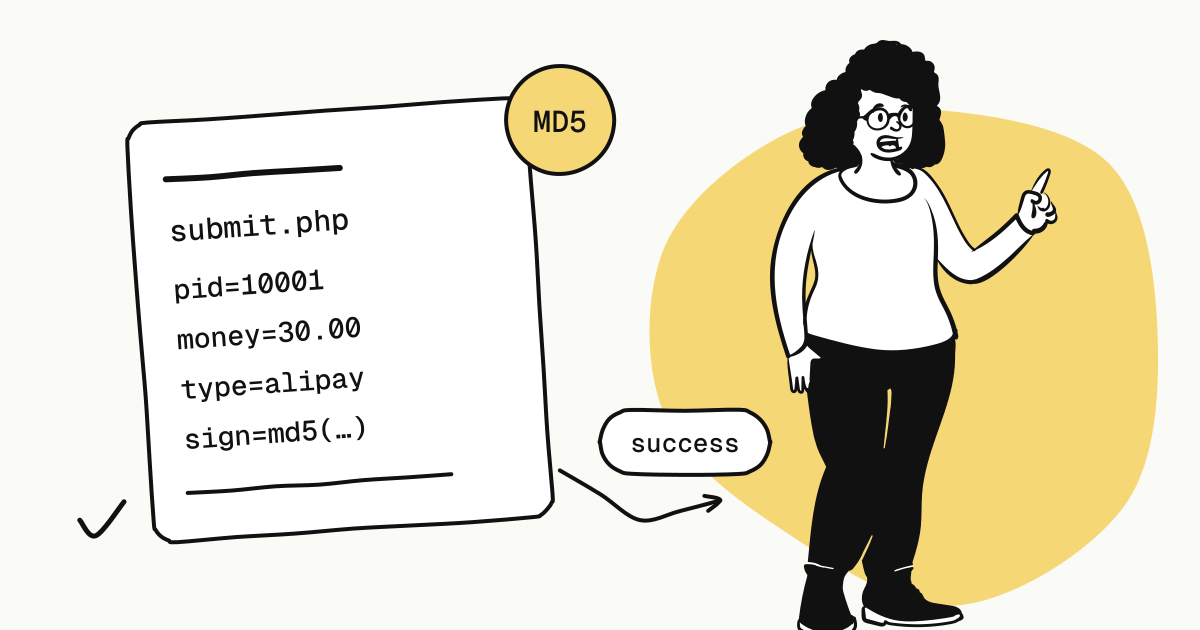
/submit.php | GET or form POST | Page-redirect payment: the buyer's browser arrives with signed parameters and is redirected to checkout |
/mapi.php | POST | Server-side order creation: returns the checkout URL payurl, and you send the buyer there |
/api.php?act=order | POST (recommended) or GET | Look up one order |
With KukoPay the gateway URL is https://api.kukopay.com/epay. The connected system appends /submit.php and the rest itself, so its settings take the URL only up to /epay.
The order parameters that matter most are out_trade_no (your order number), money (the amount, at most two decimals), notify_url and sign. money carries no currency, so the currency is the one the merchant chose for that pid in the dashboard.
How is the epay signature computed?
The method matches the widely used Rainbow epay (彩虹易支付) SDK, in four steps:
- Drop
sign,sign_typeand every parameter whose value is empty; - Sort the remaining parameters by name in ASCII order;
- Join them as
a=1&b=2, without URL-encoding the values; - Append the merchant key directly to the end, take the MD5, and use the 32-character lowercase hex digest.
function epay_sign(array $params, string $key): string {
    ksort($params);
    $pairs = [];
    foreach ($params as $k => $v) {
        if ($k === 'sign' || $k === 'sign_type' || $v === '' || $v === null) continue;
        $pairs[] = $k . '=' . $v;
    }
    return md5(implode('&', $pairs) . $key);
}
When verification fails, check these in order of how often they are the cause:
- The key or
pidbelongs to the other environment. The sandbox and live mode each have their ownpidand key; mixing them always fails. - Values were URL-encoded.
name=Pro%20planandname=Pro planproduce different signatures; the protocol signs raw values. sign_typewas included, or the parameters were not sorted.- Empty values. Some systems build the string with PHP's
http_build_query, which keeps empty values. KukoPay accepts both forms, but other providers may not.
Why does epay only notify successful payments?
This is the least intuitive rule in epay integrations and the most important: KukoPay sends a notification only when an order is paid. Failures and expiries are never notified.
The reason is on the client side. Many epay clients — Xboard's built-in EPay among them — check the signature and ignore trade_status. If a platform signed and sent a "payment failed" notification, those systems would treat it as a payment and deliver the service. For such clients, notifying only success is the only safe behaviour.
So:
- A notification arrives ⇒ the order is paid (once the signature checks out);
- No notification ⇒ not a failure: the payment may still be in progress, expired, or the notification may still be retrying;
- To learn about failures or expiry, query
api.php?act=order:status1means paid,2fully refunded,0unpaid, failed or expired.
How should a notification be handled?
The notification is a GET request with its parameters in the query string. Handle it in this order:
- Verify the signature first, with the algorithm above. It is signed with the merchant key current at the time of sending.
- Deduplicate by
out_trade_no. The same order can be notified more than once; for one you already processed, just answersuccess. - Check the amount. Compare
moneywith your own order and do not deliver if they differ. - Reply with exactly the body
success, an HTTP 2xx status, within 10 seconds.
Any other body, a non-2xx status or a timeout counts as a failure. KukoPay retries after 30 seconds, 2 minutes, 10 minutes, 30 minutes and 2 hours — six attempts in all. Once the receiver is fixed, a delivery can also be resent by hand from the delivery log under Developers → Webhooks in the dashboard, without the buyer paying again.
Do nothing slow before answering success — sending email, calling a third-party API. Past 10 seconds the attempt counts as failed and is retried, so your system receives the notification a second time. That is exactly why you deduplicate by order number.
Why should the order timeout be shorter than the connected system's?
The epay protocol has no parameter for when an order expires, but connected systems usually cancel unpaid orders on their own: Xboard and V2Board after 2 hours, Dujiaoshuka after 5 minutes by default.
The problem appears when the two clocks disagree. Say checkout stays open for 24 hours while the connected system cancels the order after 2: a buyer who pays in hour 3 is charged, the notification goes out, and the connected system — no longer recognising the cancelled order — may reply success without delivering. The money is taken, nothing is delivered, and the only fix is a manual refund.
KukoPay therefore has the merchant set an order timeout per environment in the dashboard (5 minutes to 24 hours, 30 minutes by default) and recommends keeping it no longer than the connected system's own timeout:
- Too short, and at worst a buyer has to place the order again;
- Too long, and you can collect money for an order that was already cancelled;
- When unsure, err on the short side.
The issue is not specific to epay. KukoPay's Xboard plugin, which uses the native API, closes checkout 1 hour 50 minutes after Xboard creates the order — 10 minutes before Xboard would cancel it — for the same reason.
Why should order lookups use POST?
api.php?act=order uses the merchant key itself as the credential, as the protocol defines. The protocol also allows the parameters in a GET query string, but URLs are logged verbatim by reverse proxies, CDNs and browser history, and the key ends up in those logs with them.
curl -X POST https://api.kukopay.com/epay/api.php \
  -d act=order -d pid=10001 -d key="$EPAY_KEY" -d out_trade_no=XB2026…
Call it only from your server, with the parameters in the request body.
The buyer paid, but the connected system never got the notification
Open the delivery log for the order under Developers → Webhooks:
- The receiver answered, but not with
success: it threw an error or rejected the signature; the response body usually says which. - Connection failed or timed out: check whether the connected system's firewall, CDN or WAF blocks requests from KukoPay.
- No delivery at all: make sure the order really was created through epay and has been paid.
When should you not use epay?
The epay-compatible gateway exists for systems that already speak the protocol. If you are building something new, integrate the API instead:
- epay signs with MD5; the API's webhooks use HMAC-SHA256 and keep working through a key rotation, when old and new keys both sign;
- epay can only say "paid"; the API has events for failure, expiry, refunds and disputes;
- the epay protocol itself has no refunds, reconciliation or dispute evidence — those are done in the dashboard or through the API.
Orders created either way are identical — same checkout, same settlement — so starting with epay and moving to the API later is perfectly fine.
Want to try it first? Enable epay in the sandbox dashboard, place an order and pay with the test card 4242 4242 4242 4242, then confirm the connected system receives the notification and marks the order paid. The sandbox needs no business verification.
Try it in the sandbox
Create a merchant account and request a test key. The sandbox needs no business verification.