return_url vs notify_url: why a payment redirect is not proof of payment
A buyer landing back on your site does not mean the money arrived. How return_url differs from notify_url, and the right way to decide an order is paid.
On this page
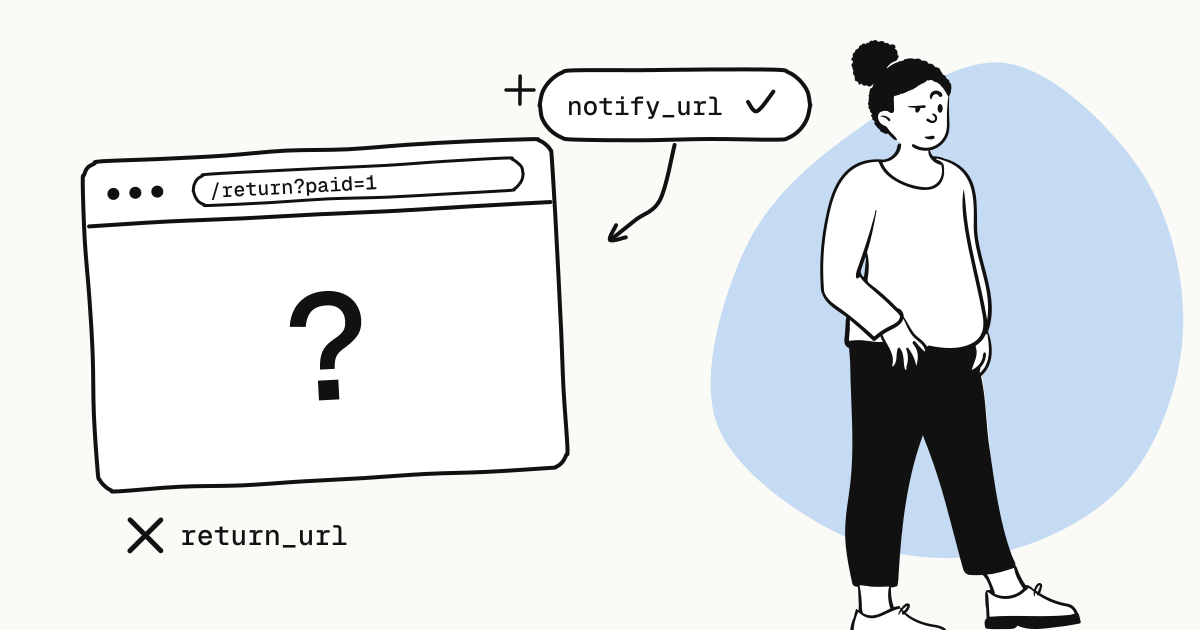
return_url is for the buyer: when checkout ends, it brings their browser back to your site. notify_url (or a webhook) is for your server: once the payment platform has confirmed the result, it tells you directly, server to server.
Whether an order is paid can only be decided from a signature-verified notification, or from your server querying the order — never from the browser redirect. That holds on almost every payment platform; here is why.
return_url vs notify_url at a glance
return_url (browser redirect) | notify_url / webhook (server notification) | |
|---|---|---|
| Sent by | The buyer's browser | The payment platform's servers |
| When | When the buyer finishes at checkout and the browser comes back | After the platform has confirmed the result |
| Guaranteed to happen | No — the buyer may close the page | Yes, and failures are retried on a schedule |
| Can be forged | Yes — anyone can open the URL by hand | No — the request is signed with a secret only you and the platform hold |
| Use it to | Show a result page and the next step | Update the order, ship, grant access |
Why the redirect is unreliable
The buyer paid and never came back
With a wallet, the buyer often approves the payment in another app. After approving, they may simply close the browser or switch apps, and your return_url is never visited. If your system updates orders only on the redirect, that is money taken and nothing delivered.
The buyer came back before the result was final
Cards that need 3D Secure, wallets that need a QR scan or an app approval — each has a window where the buyer has acted but the result is not yet final. When the buyer lands on your page, the payment may still be processing, or may end up failing.
Anyone can open the return URL
return_url is an ordinary URL. If your return page treats a parameter like ?paid=1 as success, anyone who copies that URL into a browser has "paid".
One order can see several payment attempts
A buyer may start with one method at checkout, abandon it and switch to another, so one order can go through several channel payments. Trusting any single redirect makes it easy to act on an attempt other than the one that finally succeeded.
The right way to confirm a payment
Pass a notify_url when creating the order, or configure a webhook endpoint
In live mode an order must have somewhere to report to: either a public HTTPS notify_url on each order, or a webhook endpoint subscribed to payment.succeeded in the dashboard; otherwise order creation is refused. See create an order.
Redirect the buyer to checkout
Use the checkout_url the API returns.
Let the return page show state, never change it
When the buyer lands on return_url, the page asks your own backend for the order's status: paid shows success; still pending shows "confirming your payment" and refreshes shortly. Your backend reads your own orders table and, when needed, checks with the platform through order lookup.
Fulfil only on a verified notification
Verify the signature, deduplicate on the event id, update the order and grant access in one transaction, then answer 2xx. The details are in duplicate payment webhooks.
The backend lookup behind the return page looks like this:
curl "https://api.kukopay.com/v1/orders/TRD_9F3A2C7E..." \
  -H "X-Api-Key: $KUKOPAY_API_KEY"
Only a status of paid means the payment succeeded and has been credited; pending means it is still waiting.
Never let the frontend query the order with your API key. The key stays on the server; the frontend only talks to your own backend.
When the notification is late
If notifications are delayed or every delivery failed, you have two ways back:
- Query the order. The order is still pending on your side but the buyer says they paid? Ask the platform once through order lookup.
- Backfill from the Events API. KukoPay records every payment result as an event first; a delivery is just one attempt to tell you. Events missed while your receiver was down can be pulled back by time range from the Events API.
The platform has its own safety net too: a reconciliation job keeps re-checking pending payments and refunds, so even if a channel's notification is lost and the buyer closed the page, the platform re-reads the result and credits the payment, sends the notification or closes the order.
Two details that are easy to miss
A payment that arrives after the order closed is refunded automatically. Rarely, a buyer's payment arrives after the order was already paid by another attempt or had expired. KukoPay refunds that payment to the buyer in full and sends payment.duplicate_refunded; your balance is not touched and you need do nothing.
Reconcile by order number, not payment_id. Because an order can go through several channel payments, the payment_id on the order object can change. Reconcile on trade_no / out_trade_no and the payment.succeeded event.
Summary
return_urlis for the experience;notify_urland webhooks carry the result;- a redirect may never happen, may come too early, or may be forged;
- fulfil only on a verified notification or a server-side lookup;
- the return page reads state and never writes it.
To see these cases for yourself, use the 3D Secure test card 4000 0000 0000 3220 in the sandbox, or pick a wallet and close the browser on the test approval page, then check that the order is still credited and the notification still arrives. The test cards are listed in sandbox testing.
Try it in the sandbox
Create a merchant account and request a test key. The sandbox needs no business verification.