What is payment settlement? How money gets from a successful payment to your bank account
What payment settlement is, how long it takes, available vs withdrawable balance, how payouts reach your bank, and what can hold money back along the way.
On this page
- What happens between "paid" and money in your bank?
- What happens on KukoPay when a payment succeeds?
- Available balance vs withdrawable balance
- How long does payment settlement take?
- How does a payout reach your bank account?
- What can hold your money back?
- What does settlement cost?
- Rehearse settlement in the sandbox
- Summary
Payment settlement is the part of a payment that happens after the buyer sees "paid": the money actually moving from the buyer's bank, through the card network or wallet and the payment provider, into the merchant's account. A payment can be approved in seconds; settlement takes longer, and it is why a sale you made today is not yet money you can pay out today.
This guide explains the stages of payment settlement, how long settlement takes, the difference between your available and withdrawable balance, how a payout reaches your bank, and what can hold money back. The figures and rules are KukoPay's, each linked to the doc it comes from.
What happens between "paid" and money in your bank?
A card payment goes through four stages:
- Authorization — the issuer approves the payment and reserves the amount on the buyer's card. This is what the buyer sees at checkout.
- Capture — the payment is confirmed for the approved amount.
- Clearing and settlement — the card network and banks exchange the transaction details and move the funds from the issuer to the acquiring side. For cards this generally takes one to a few business days, depending on the network, the currencies and bank holidays.
- Payout — the payment provider transfers your share, after fees, from its account to your bank account.
Wallets such as Alipay, WeChat Pay and PayPal follow the same pattern with their own timings. For you, the important split is between the moment you can trust a payment (step 1–2, confirmed by the processor) and the moment you can withdraw it (after step 3).
What happens on KukoPay when a payment succeeds?
KukoPay credits a payment only after reading it back from the processor and checking that the amount and currency match. Then, in one transaction, it:
- marks the order
paid, - calculates the fee for the payment method actually used,
- adds the net amount (order amount minus fee) to your available balance in the order's currency,
- and writes the matching ledger rows.
That is also when the payment.succeeded webhook is sent, so it is safe to fulfil the order at that point. A buyer closing the browser does not change any of this: a reconciliation job re-reads unresolved payments and credits them anyway.
Available balance vs withdrawable balance
The balance answers several questions with different numbers:
| Field | What it means |
|---|---|
available_balance | Credited and not tied up: what refunds are paid from. It can be negative while a chargeback is open |
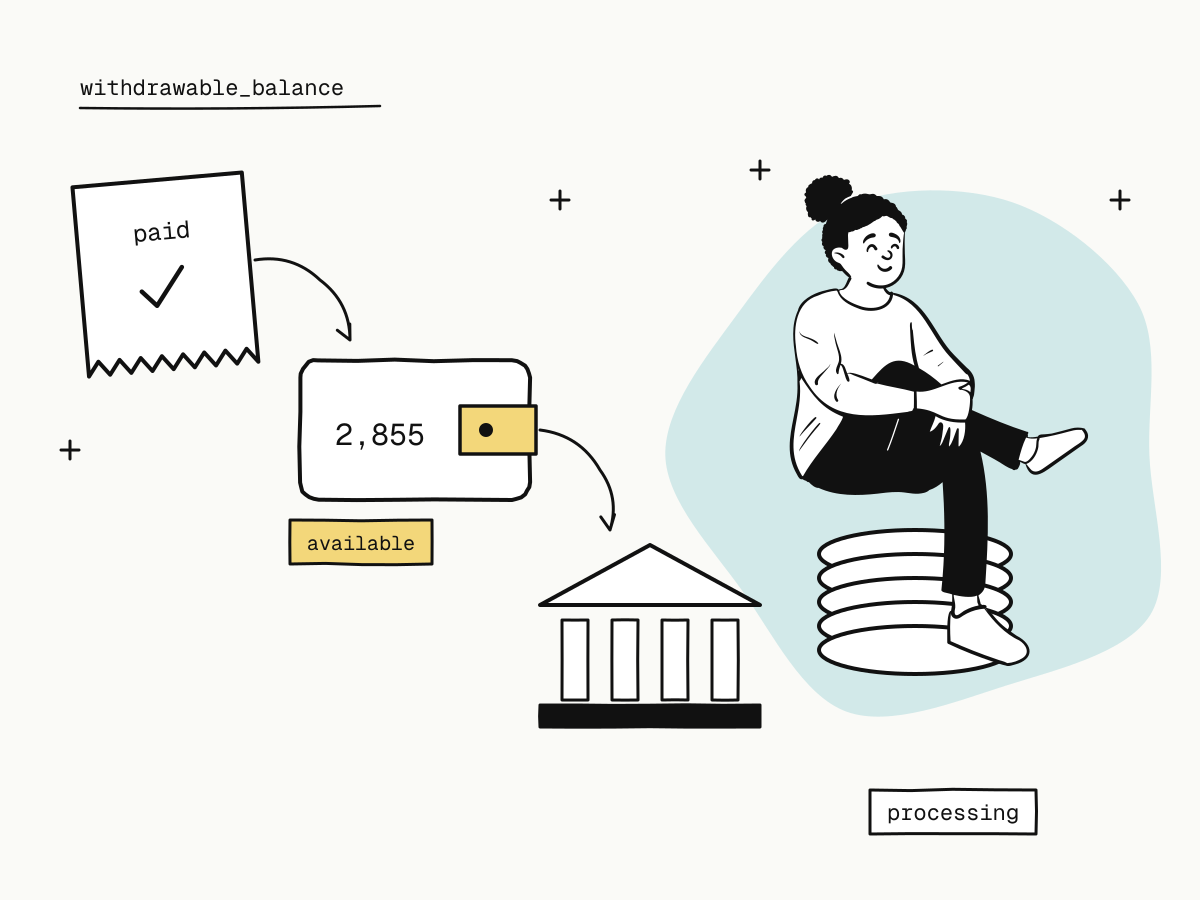
withdrawable_balance | What you can request as a payout now: the smaller of the available balance and what the processor has already settled to the platform |
frozen_balance | Held for refunds in flight, open chargebacks and payouts being processed |
total_revenue, total_fee, total_refund, total_payout | Running totals |
The gap between available and withdrawable is the settlement period: a live payment is in your available balance as soon as it is confirmed, but becomes withdrawable only once the processor's funds for it are available and reconciled. Amounts not yet settled upstream are never counted as withdrawable.
Each currency is a separate balance — USD, HKD and CNY are credited, refunded and paid out on their own, and nothing is converted automatically. Every movement appears in balance transactions, which is the right source for a daily reconciliation.
How long does payment settlement take?
There is no single number, because three different clocks are involved:
- Upstream settlement — how long the card network, wallet and processor take to make the funds available, which varies by payment method, currency and bank holidays;
- Payout review — on KukoPay a live payout is reviewed before the transfer is made;
- The receiving bank — how quickly your bank credits an incoming transfer, which for cross-border transfers depends on the banks in between.
So there is no fixed promise to make: a payment becomes withdrawable once it has settled upstream, and a payout then takes its review and the banks' transfer time. Plan cash flow on the withdrawable balance, not on today's sales.
How does a payout reach your bank account?
Payouts are requested on the Payouts page of the dashboard and go to a reviewed settlement account:
- The account is reviewed first. A new live settlement account is checked against the verified business or person before it can receive a payout, and changing it means a new review — redirecting payouts is the step an account takeover needs, so it gets a human check. An individual can only be paid to a personal account in their own name; see accepting international payments as an individual.
- Minimum and fee. At least 100.00 in the payout's currency (US$100, HK$100 or ¥100), and a flat $5.00 per payout; the amount that arrives is the payout minus $5.00. Fewer, larger payouts are cheaper.
- The amount is frozen at once, so the same money cannot be requested twice.
A live payout then moves through these states:
| Status | Meaning | The money |
|---|---|---|
pending_review | Requested, waiting for review | Frozen |
processing | Approved, waiting for the transfer | Still frozen |
success | Transferred and the bank reference recorded | Debited |
review_rejected | Not approved | Released back |
payout_failed | The transfer failed | Released back |
processing does not mean the money has arrived. Approval only says the review passed; the payout becomes success, and the frozen amount is debited, only when the bank transfer has been made and its reference recorded. The full rules are in payouts.
What can hold your money back?
- Refunds in flight. A pending refund freezes its amount until the processor confirms it — see partial refunds explained.
- Chargebacks. An open dispute freezes the disputed amount and can push the available balance negative; payouts are refused until later payments make it good. The chargeback guide explains how disputes settle.
- A payout suspension. If the account's chargeback rate crosses the hold threshold, or an individual's identity document has expired, payouts stop until the issue is resolved — while payments, refunds and dispute responses carry on as normal.
- An unreviewed settlement account. No live payout can go to an account that has not passed review.
What does settlement cost?
Fees are taken when a payment is credited, not when it is paid out: 3.5% plus a fixed fee by currency at standard pricing, so your balance always shows the net amount. The payout adds its flat $5.00. Refunds do not return the original fee. How cross-border payment fees are calculated works through the numbers, and fees and settlement has the rules.
Rehearse settlement in the sandbox
The sandbox wallet opens with $5,000.00 of test funds, and a sandbox payout completes immediately, writing the same ledger rows a live payout ends with — payout_freeze, then payout_success and payout_fee. Run a few test payments, a refund and a payout, then reconcile them from balance transactions before any real money moves. Test credit card numbers for payment testing lists the scenarios.
Summary
- Payment settlement is the money actually moving after a payment is approved; payout is the last step, to your bank;
- on KukoPay a confirmed payment is credited at once, net of fees, to the available balance of its currency;
withdrawable_balanceis what has also settled upstream — the gap is the settlement period;- live payouts go to a reviewed account, cost $5.00 each with a 100.00 minimum, and
processingis not "paid"; - refunds, chargebacks, a suspension or an unreviewed account can hold money back;
- reconcile from balance transactions, and rehearse it all in the sandbox.
Try it in the sandbox
Create a merchant account and request a test key. The sandbox needs no business verification.