API key rotation: how to rotate payment API keys without downtime, and what to do if one leaks
How API key rotation works for a payment API: rotate without downtime, revoke a leaked key at once, confirm an old key is unused, and keep keys safe.
On this page
API key rotation means replacing an API key with a new one on a schedule or after an incident, so that a key that may have been copied stops working. For a payment API the stakes are high — a live key can create orders and refunds on your account — so rotation has to be routine, and it has to happen without downtime: your servers must never be left holding a key that has already stopped working.
This guide covers how to rotate payment API keys without an outage, what to do in the first minutes after a key leaks, how to prove an old key is no longer used, and the habits that keep keys from leaking in the first place.
Rotate vs revoke: what's the difference?
| Rotate (roll) | Revoke | |
|---|---|---|
| What happens | A new key is issued at once; the old one keeps working for a period you choose | The key stops working immediately |
| When to use it | Routine changes, staff changes, moving servers | A key that has leaked or may have |
| Effect on your servers | None, if you deploy the new key within the period | Calls still using it get 401 invalid_api_key |
The rule of thumb: rotate when you are in control, revoke when you are not. A leaked key is a bigger risk than a few failed calls while you deploy its replacement.
How to rotate an API key without downtime
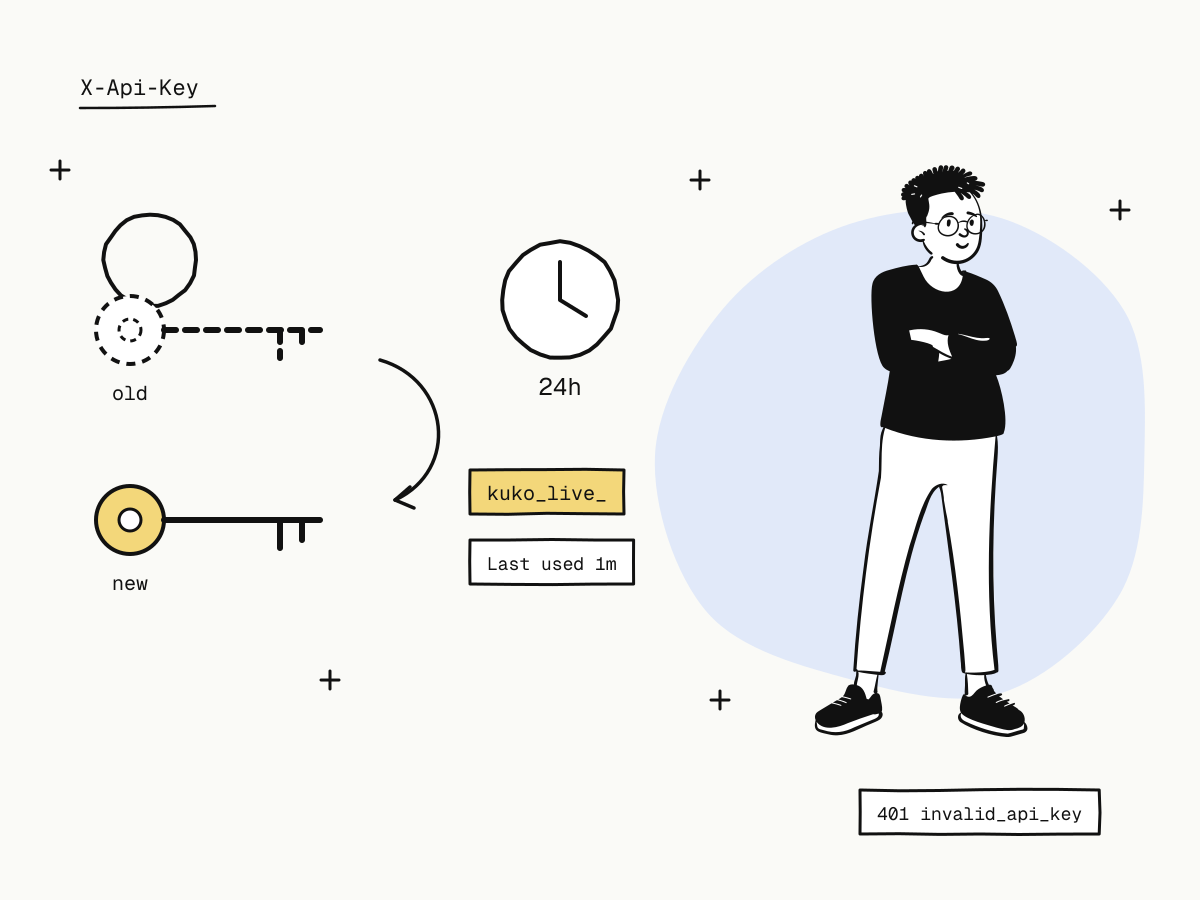
On KukoPay, open Developers → API keys, find the key and click Roll. You choose how long the old key keeps working:
| Old key keeps working for | Use it when |
|---|---|
| Stop immediately | You have already replaced it everywhere |
| 1 hour | One server, deployed in minutes |
| 24 hours | Several services or a scheduled deploy |
| 72 hours or 7 days | Teams, partners or devices you cannot update at once |
Then:
- Copy the new key straight away. A live key is shown in full only once, when it is issued; afterwards the dashboard shows only its prefix and last four characters. Store it in your secrets manager or server configuration — never in code.
- Deploy it to every service that calls the API.
- Watch the old key's traffic. Each key shows Last used; when the old key's stops moving, nothing depends on it any more.
- Let it expire at the end of the period — or roll again with Stop immediately once you are sure.
Because both keys work during the overlap, there is no moment when a request fails because of the switch.
What to do when an API key leaks
A key pushed to a public repository, pasted in a ticket, printed in a log or shipped in a mobile app should be treated as compromised.
- Revoke it now. Revoke stops the key immediately. Do not wait for a deploy — a leaked live key can be used within minutes.
- Issue a replacement with Issue key and deploy it. Expect
401errors from anything still using the old key until it is updated; that is the price of closing the hole. - Check what it did. API request logs record the
key_idof every call, kept for 30 days, so you can see what was called with the leaked key — see API request logs. Look for orders, refunds or webhook endpoints you do not recognise. - Remove it from where it leaked — rewrite the commit, delete the log, rebuild the app — and find out how it got there.
The account's owners and admins are emailed whenever a live key is issued, rolled or revoked, so an unexpected change on your account does not go unnoticed.
How to tell whether an old key is still in use
- Last used on each key shows the last time it authenticated a call (updated at most once a minute).
- API request logs carry the
key_idof each call, so you can see which services still call with the old key. - Give keys a name when you issue them — "Production server", "Billing worker" — so you know whom to ask when an old key is still busy.
One key per service
Each app can hold up to five non-expiring keys per environment. Use them:
- One key per server or service, named after it. A leak then means rotating one key, not every service at once, and Last used tells you exactly which service is behind a key's traffic.
- One app per integration. Keys belong to an app and only see that app's orders, refunds and webhooks — another app's objects answer
404— so a key leaked from a side project cannot touch your main store's data.
API key best practices for payment APIs
- Server only. A payment API key is your account's server-side authority. Never put it in browser JavaScript, a mobile app, a front-end build variable or a public repository; the browser should only ever talk to your own backend.
- Separate environments by key.
kuko_test_keys reach only the sandbox andkuko_live_keys only live; there is no request field that switches environments, so test code can never move real money. Keep test and live keys in separate configuration. - Lock keys to your servers. An app's IP allowlist (single IPv4, IPv4 CIDR or exact IPv6 addresses) makes a copied key useless from anywhere else — calls from outside return
403 ip_not_allowed. Skip it for serverless platforms without a fixed outbound IP. - Rotate on a schedule and whenever someone with access leaves, not only after an incident.
- Do not log keys. Mask the
X-Api-Keyheader in your own request logs and error reports. KukoPay's own API logs redact secret-shaped fields before storing them.
Webhook signing secrets rotate too
The secret that signs your webhooks is a credential as well. Rotating a webhook endpoint's secret keeps the old one signing alongside the new one for 24 hours, so every delivery carries both signatures and you can switch at any moment in that window. Accept a delivery if any of its v1= signatures matches — payment webhook not received explains the pitfall of keeping only one.
Related guides
- Retrying safely after a timeout: what is an idempotency key
- Handling
429responses: API rate limits and 429 Too Many Requests - Verifying and deduplicating webhooks: duplicate payment webhooks
Summary
- API key rotation replaces a key on your schedule; revocation stops a compromised key at once;
- on KukoPay, Roll issues a new key and keeps the old one for a period you choose — from immediately to 7 days — so rotation causes no downtime;
- a leaked key: revoke first, replace, then check its calls in the request logs by
key_id; - Last used and the logs'
key_idshow when an old key is truly idle; - one named key per service, keys on the server only, an IP allowlist where you can, and a regular rotation schedule.
Try it in the sandbox
Create a merchant account and request a test key. The sandbox needs no business verification.