Payment API error handling: error codes, error types, and which errors are safe to retry
How to handle payment API errors: read the error envelope, branch on codes not messages, know which errors are safe to retry, and debug with request_id.
On this page
- What does a payment API error look like?
- Branch on error codes, not messages
- Error types and whether to retry them
- The payment API error codes you will meet most
- Never treat a timeout as "the order doesn't exist"
- Errors are not payment results
- Debug faster with request_id
- A payment API error handling checklist
Payment API error handling is the code that decides what your integration does when a request does not succeed: fix the request, retry it, or stop and tell someone. Getting it right matters more for payments than for most APIs, because the two classic mistakes are expensive: retrying an error that will never succeed, and not retrying — or retrying unsafely — an error whose outcome is unknown, which is how orders get lost or created twice.
This guide explains how to read a payment API error, why you should branch on error codes rather than messages, which errors are safe to retry, and how to debug a failed call quickly. The examples use KukoPay's API, and the principles apply to any payment provider.
What does a payment API error look like?
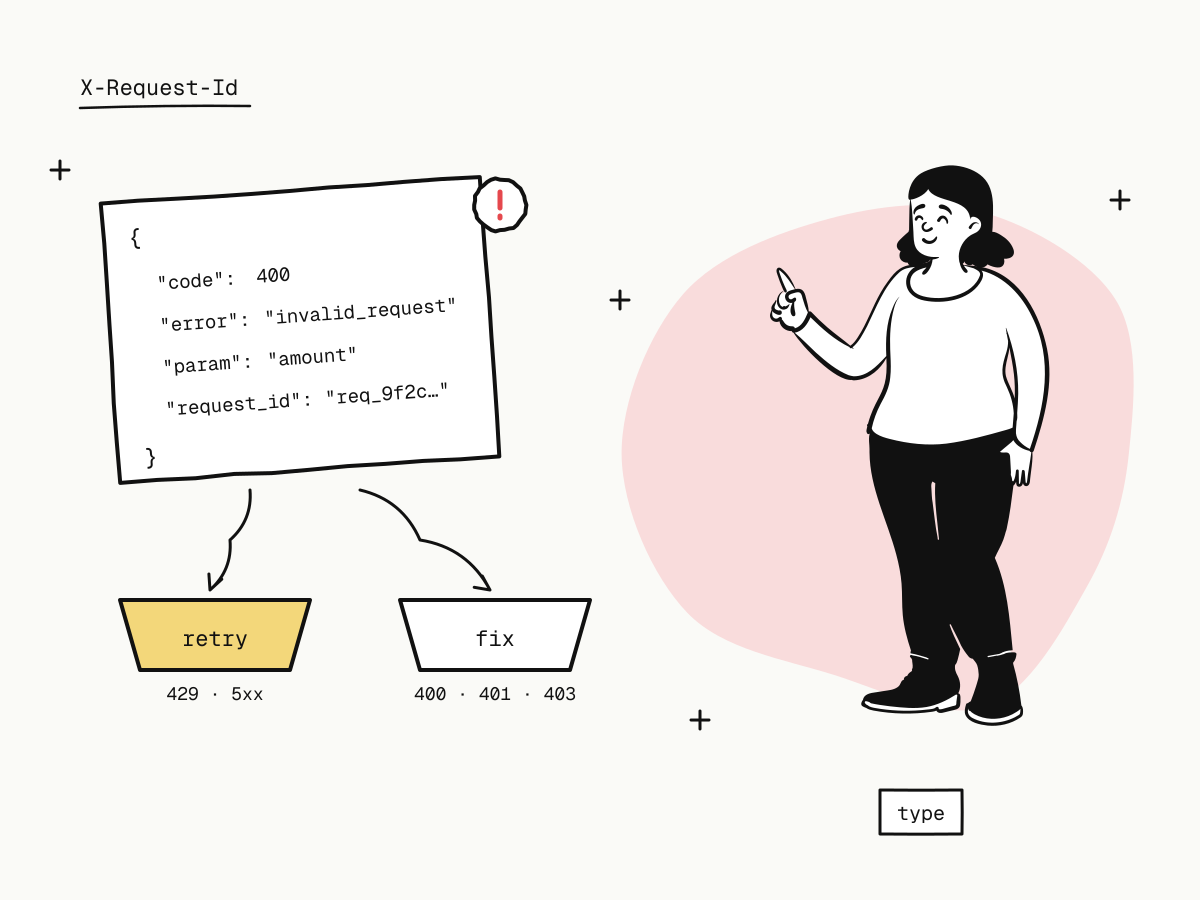
Every KukoPay endpoint returns errors in the same envelope:
{
  "code": 400,
  "error": "invalid_request",
  "type": "invalid_request_error",
  "message": "…",
  "param": "amount",
  "doc_url": "https://kukopay.com/docs/api/errors",
  "request_id": "req_9f2c1a7b4e8d0356c1ab77de90f4b215"
}| Field | Use it for |
|---|---|
code | The HTTP status, repeated in the body |
error | The stable, machine-readable code. Branch on this. |
type | The broad category. Stays the same when new codes are added, so it is good for coarse decisions like "retry or not" |
message | A human-readable description. Wording can change — show it, log it, never branch on it |
param | The request field at fault, or null |
doc_url | Where the code is documented |
request_id | This request's unique id, also in the X-Request-Id header |
Branch on error codes, not messages
Messages are written for people and get reworded — and on KukoPay they are rendered in the language of the request, so the same error can arrive in English or Chinese. Code like if (message.includes("amount")) breaks the day the wording changes. Use error for specific handling and type for the general rule:
switch (body.error) {
  case "payment_limit_exceeded":
    return showBuyer("This amount is above what we can accept right now.")
  case "conflict":
    return reloadOrder(outTradeNo) // the order changed — read its latest state
  default:
    return handleByType(body.type)
}
Error types and whether to retry them
type | Meaning | Retry? |
|---|---|---|
authentication_error | Missing or invalid key; the request was not linked to any merchant | After fixing the key |
permission_error | Authenticated, but not allowed to do this | No |
invalid_request_error | The request itself is wrong: a bad field, an object that does not exist, a state conflict | After fixing the request |
idempotency_error | The same Idempotency-Key was used for a different request | After fixing the request |
rate_limit_error | Over the rate limit | Yes, after Retry-After |
api_connection_error | The upstream channel failed; your balance was not changed | Yes |
api_error | An internal platform error | Yes |
The practical rule:
- Timeouts,
429,502and500— retry with the sameIdempotency-Keyand exponential backoff. The outcome is unknown or temporary; the key makes the retry safe. 400,401,403— do not loop. Fix the parameters, credentials or permissions first.404— check the identifier, and that the key's environment and app match the object's.409— read the order, refund or dispute again and decide from its current state.
How the key protects a retry is covered in what is an idempotency key, and the 429 case in API rate limits and 429 Too Many Requests.
The payment API error codes you will meet most
| HTTP | error | What it means | What to do |
|---|---|---|---|
| 401 | missing_api_key / invalid_api_key | No key, or a wrong or revoked one | Check the X-Api-Key header survives your proxy; update the key — see API key rotation |
| 403 | merchant_not_approved | A live key before the account is approved | Keep building in the sandbox until verification completes |
| 403 | ip_not_allowed | The request came from outside the app's IP allowlist | Check your server's outbound IP |
| 403 | app_disabled | The key's app is disabled and cannot create orders | Re-enable the app or use another app's key |
| 400 | invalid_request | A field is invalid | Fix the field named in param |
| 400 | payment_limit_exceeded | Over the account's payment limit | Show the buyer a clear message; see the limits in onboarding |
| 400 | refund_window_expired | The payment method's refund deadline has passed | Settle with the buyer directly — see partial refunds |
| 404 | order_not_found and other *_not_found | No such object for this key's environment and app | Check the number, the environment and the app |
| 409 | conflict | State changed, an open dispute, or a reused out_trade_no with different content | Read the object again; use a new order number for a new order |
| 429 | rate_limited | Over the per-minute quota | Wait Retry-After seconds |
| 502 | processor_error | The channel failed; nothing changed on your balance | Retry with the same idempotency key |
| 500 | internal_error | Something failed on the platform | Retry with the same key; if it persists, send the request_id |
The full catalogue is in errors. It is generated from the same list the API uses, so the documented codes are the ones you receive.
Never treat a timeout as "the order doesn't exist"
A timeout is not an error response — you have no response at all. The order may well have been created. Do not generate a new order number and try again: that is how buyers end up with two orders. Either retry the same request with the same out_trade_no (and the same Idempotency-Key), which returns the existing order if there is one, or look the order up by out_trade_no first.
Errors are not payment results
A successful POST /v1/orders does not mean the buyer paid, and an error from your server does not mean they did not. Payment outcomes — paid, declined, expired — arrive through the order's status and webhooks, not as API errors. A card decline, for example, never reaches your API call: the buyer sees it at checkout and can try again (card decline codes explained). Decide fulfilment on the verified payment.succeeded webhook — see return_url vs notify_url.
Debug faster with request_id
Every response, success or failure, carries a request_id in the body and the X-Request-Id header. It is always issued by the platform and matches its own logs one to one.
- Log it on every call in your HTTP client, next to your own order number.
- Look the call up yourself: the request logs keep each call's request and response, with secrets redacted, for 30 days — filter by
request_id, bystatus=4xx, by path or by error code.
curl -G "https://api.kukopay.com/v1/logs" \
  -H "X-Api-Key: $KUKOPAY_API_KEY" \
  -d status=4xx \
-d limit=20- Send it to support when you need help: with a
request_idthe exact call can be found at once; without it, someone has to search by order number and time.
See API request logs.
A payment API error handling checklist
- Branch on
error, fall back ontype, never onmessage; - retry timeouts,
429and5xxwith backoff and the sameIdempotency-Key; - fix
400/401/403instead of retrying them; - on
409, re-read the object; - never answer a timeout with a new order number;
- log
request_idon every call; - decide payment outcomes from webhooks and order status, not from API errors.
Try it in the sandbox
Create a merchant account and request a test key. The sandbox needs no business verification.