Payment metadata: how to attach your own IDs to orders, refunds and payment links
How to use payment metadata to link payments to your own records: what to store, the limits, finding orders by metadata, and updating it safely.
On this page
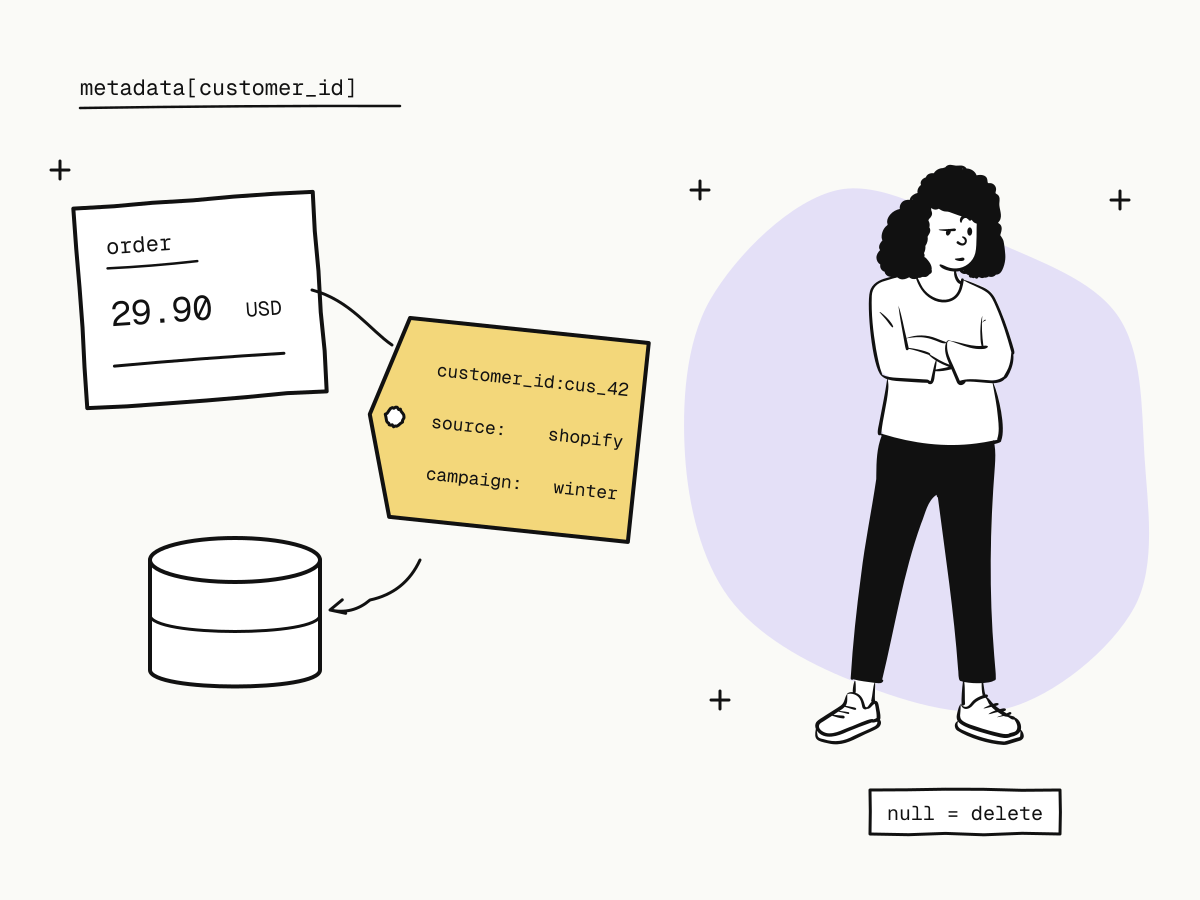
Payment metadata is a set of key–value pairs you attach to a payment object — an order, a refund, a payment link — so it carries your own identifiers: your customer id, cart id, sales channel, campaign. The payment provider stores it with the object, returns it on every lookup and includes it in every webhook, which turns "which of my records is this payment?" into a field you read instead of a mapping you maintain.
This guide explains what to put in payment metadata (and what not to), the limits, how to find orders by metadata, and how to update it without overwriting what another system wrote.
What is payment metadata for?
- Linking payments to your records. A webhook for
payment.succeededarrives withmetadata.customer_id, and your handler knows whose account to credit without a lookup table. - Reporting and reconciliation. Tag orders with a sales channel, a campaign or a region, then filter and export by it — see payment reconciliation.
- Support. A support agent looking at an order sees the cart id or ticket number it belongs to.
- Several systems on one order. Your shop, CRM and fulfilment service can each keep their own key on the same order.
Metadata vs out_trade_no
Do not encode several ids into out_trade_no and parse them back out. out_trade_no is your order number and the idempotency key that stops an order being created twice — it should do that one job. Keep the order number simple and put everything else in metadata:
curl -X POST "https://api.kukopay.com/v1/orders" \
  -H "X-Api-Key: $KUKOPAY_API_KEY" \
  -H "Content-Type: application/json" \
  -d '{
    "out_trade_no": "ORD_20261105_0001",
    "amount": 2990,
    "currency": "USD",
    "metadata": {
      "customer_id": "cus_42",
      "order_source": "shopify",
      "campaign": "winter-2026"
    }
  }'
Payment metadata limits
| Item | Limit |
|---|---|
| Keys | Up to 50 |
| Key length | 1 to 40 characters |
| Value length | Up to 500 characters |
| Value type | Strings only |
Strings only is deliberate. Nested objects would turn metadata into a hidden schema that every system reading it has to agree on forever. When you need structured data, keep it in your own database and put the id that points to it in metadata. Numbers go in as strings — "42", not 42.
Which objects carry metadata?
- Orders — set at creation, returned on lookups, lists and every order webhook.
- Refunds — tag a refund with the return or ticket it belongs to.
- Payment links — a link's metadata is copied onto every order the link creates, and the platform adds
kukopay_payment_linkwith the link's id, so each payment traces back to its link and campaign. See what is a payment link.
Webhooks deliver the same object a lookup returns, metadata included, so one parser serves both.
How to find orders by metadata
curl -G "https://api.kukopay.com/v1/orders" \
  -H "X-Api-Key: $KUKOPAY_API_KEY" \
  -d "metadata[customer_id]=cus_42"
Pass several metadata[...] filters and an order must match all of them. Combine them with the usual list filters, such as creation time, and with format=csv to export a customer's or a campaign's orders.
How to update metadata without overwriting other systems
After creation, an order, refund or payment link can have its metadata updated:
POST /v1/orders/{trade_no}
POST /v1/refunds/{refund_no}
POST /v1/payment_links/{link_id}
On orders and refunds, metadata is the only thing these endpoints change: the amount, currency and environment are facts already sent to the payment channel, and letting them change here would separate the record from the money.
Updates merge rather than replace:
# Add shipped_at; every other key stays as it was
curl -X POST "https://api.kukopay.com/v1/orders/TRD_9F3A2C7E" \
  -H "X-Api-Key: $KUKOPAY_API_KEY" \
  -H "Content-Type: application/json" \
  -d '{ "metadata": { "shipped_at": "2026-11-06" } }'

# Delete one key by setting it to null
curl -X POST "https://api.kukopay.com/v1/orders/TRD_9F3A2C7E" \
  -H "X-Api-Key: $KUKOPAY_API_KEY" \
  -H "Content-Type: application/json" \
  -d '{ "metadata": { "sales_rep": null } }'
Setting the whole metadata field to null clears it. Merging is what lets several systems share one order safely: a fulfilment service that only knows its own shipped_at key cannot wipe the customer_id your shop wrote.
Payment metadata best practices
- Store ids, not data.
customer_id: "cus_42", not the customer's name, address and history. - Keep secrets and personal data out. Metadata is returned to every caller with your key and sent in every webhook. No passwords, tokens, card details, ID numbers or other sensitive personal data.
- Agree on key names. Pick one convention —
order_id, not sometimesorderId— and write it down; consider a prefix per system (crm_contact_id,wms_shipment_id). - Leave the
kukopay_prefix to the platform, which uses it for keys such askukopay_payment_link. - Do not make critical decisions on metadata alone. It is set by your own code and can be changed later. Decide that an order is paid from its
statusand the verified webhook, not from a metadata flag — see return_url vs notify_url. - Make your webhook handler tolerate missing keys. Orders created before you added a key will not have it.
Summary
- Payment metadata attaches your own string key–value pairs to orders, refunds and payment links, and comes back on every lookup and webhook;
- up to 50 keys, keys up to 40 characters, values up to 500 characters, strings only — store ids, not structures;
- keep
out_trade_noas the order number and idempotency key, and put other ids in metadata; - find orders with
metadata[key]=valuefilters, which must all match; - updates merge, and
nulldeletes a single key, so systems sharing an order cannot erase each other's keys; - keep secrets and personal data out, and never decide that an order is paid from metadata.
Try it in the sandbox
Create a merchant account and request a test key. The sandbox needs no business verification.