Payment status explained: what pending, paid, failed, expired and refunded mean
Payment status explained: what pending, paid, failed, expired, partially refunded and refunded mean, how orders move between them, and what to do at each.
On this page
A payment status tells you where an order is in its life: still waiting for the buyer, paid, closed without payment, or refunded. Reading it correctly decides when you ship, when you release stock and what you tell the buyer — and most integration bugs come from treating a status as final when it is not, or as failed when it is only waiting.
This guide explains each payment status on KukoPay, how an order moves between them, the event that announces each change, and what your system should do at every step.
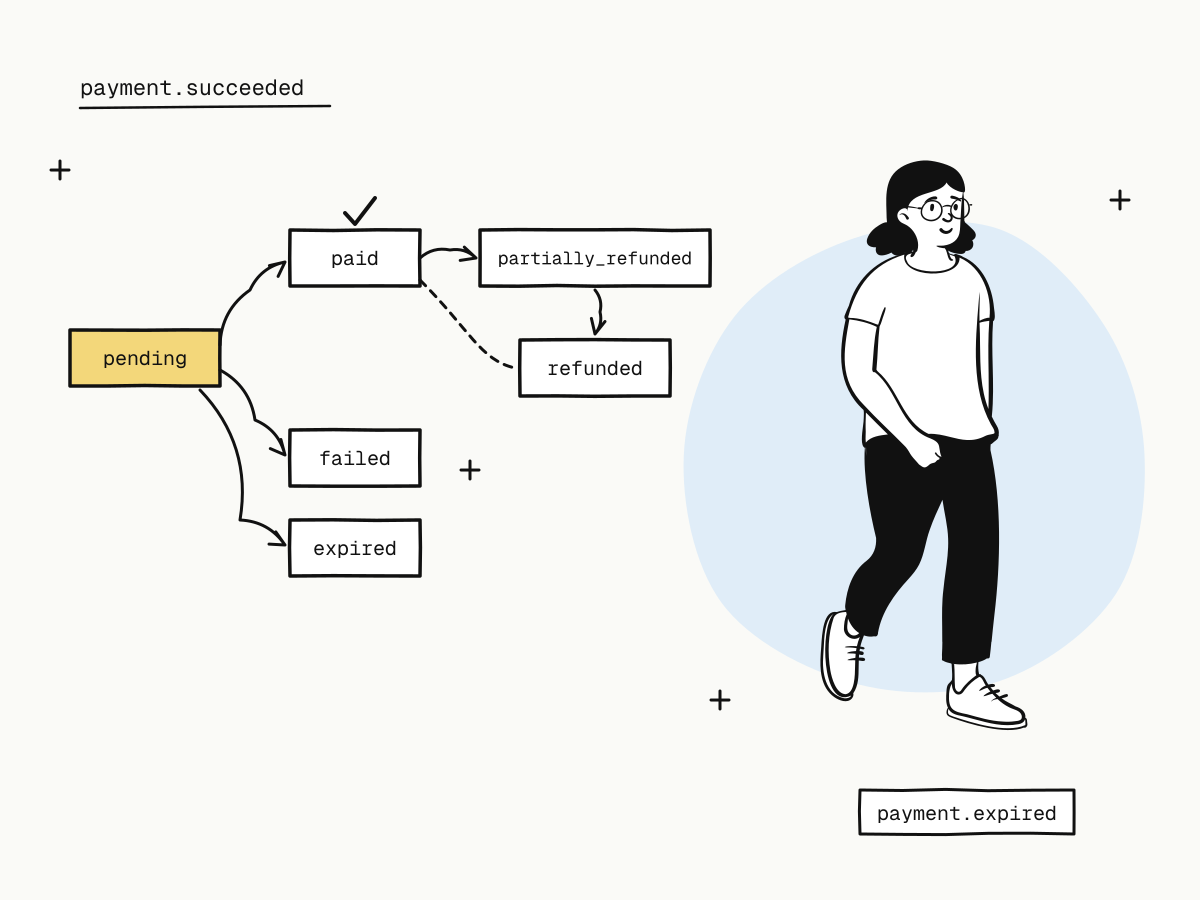
The order statuses
| Status | Meaning | Final? |
|---|---|---|
pending | Created, waiting for the buyer to pay | No |
paid | Payment succeeded; the net amount is in your balance | No — it can still be refunded |
partially_refunded | Part of the payment has been refunded | No |
refunded | The whole payment has been refunded | Yes |
failed | The channel declared the payment finally failed or cancelled | Yes |
expired | The checkout closed unpaid | Yes |
pending ──► paid ──► partially_refunded ──► refunded
   │          └─────────────────────────────▲
   ├──► failed
   └──► expired
Only paid (and later partially_refunded / refunded) means money was taken.
Pending: waiting, not failing
pending covers everything before the payment is settled: the buyer has not opened the checkout yet, is typing a card, is approving in a wallet, or is in the middle of 3D Secure.
Two things are easy to get wrong:
- A declined card does not make the order fail. The order stays
pending, the checkout shows the reason, and the buyer can try another card or method on the same link — see card decline codes explained. - A buyer leaving the page does not make it fail either. They may come back, or may already have approved in their bank app.
So do not cancel or fail an order while it is pending. Wait for the next status.
Paid: when to fulfil
An order becomes paid only after the platform reads the payment back from the channel and checks the amount and currency. At that moment the fee is calculated, the net amount is added to your balance, and payment.succeeded is sent.
Fulfil on the verified payment.succeeded webhook, or on a server-side lookup that returns paid — never on the buyer reaching your return_url, which can happen before payment or never — see return_url vs notify_url.
Failed vs expired: two ways an order closes unpaid
failed— the payment channel declared the payment finally failed and it will not succeed. Event:payment.failed.expired— nobody completed payment before the checkout closed: its deadline passed (24 hours by default, or your ownexpires_at), you closed it early, or its payment link reached its payment limit. Event:payment.expired.
Both are final: release stock, and create a new order if the buyer wants to try again. How to cancel unpaid orders covers setting the deadline and closing orders safely.
Partially refunded and refunded
After a refund is confirmed, a paid order becomes partially_refunded (some of it returned) or refunded (all of it). Refunds have their own status:
| Refund status | Meaning | Event |
|---|---|---|
pending | Accepted; the amount is frozen while the channel processes it | — |
succeeded | Confirmed and debited | refund.succeeded |
failed | Refused by the channel; the frozen amount is released | refund.failed |
Tell the buyer their money is back only on succeeded — see partial refunds explained.
Disputes have a separate status
A chargeback does not replace the order's status; it is its own object with needs_response, under_review, won, lost or closed, and events from dispute.created to dispute.won / dispute.lost / dispute.closed. While a dispute is open, the order cannot be refunded. The chargeback guide explains each state.
Events for every status change
| Change | Event |
|---|---|
pending → paid | payment.succeeded |
pending → failed | payment.failed |
pending → expired | payment.expired |
| Refund confirmed / refused | refund.succeeded / refund.failed |
| A payment arrived after the order closed and was refunded to the buyer | payment.duplicate_refunded |
Subscribe to the failure and expiry events too, not only success — otherwise orders that will never be paid stay open in your system. Webhook endpoints covers subscriptions.
Status-handling rules of thumb
- Treat
paidas the only success, and fulfil once per order — see duplicate payment webhooks. - Never move an order backwards. A late or replayed event must not undo a later status; compare with what you have and only move forward.
- Track orders by
trade_no/out_trade_no, notpayment_id. One order can go through several payment attempts as the buyer switches methods, so itspayment_idcan change. - Handle unknown values gracefully. Log and keep the order as it was rather than crashing on a status you did not expect.
- When in doubt, look it up.
GET /v1/orders/{trade_no}returns the current status.
Summary
pendingmeans waiting — a decline or an abandoned page does not fail the order;paidis the only success, confirmed with the channel; fulfil on the webhook or a lookup;failed(the channel gave up) andexpired(the checkout closed unpaid) are final;- refunds move a paid order to
partially_refundedandrefunded, with their ownpending/succeeded/failed; - disputes have a status of their own;
- every change has an event — subscribe to failures and expiries too.
Try it in the sandbox
Create a merchant account and request a test key. The sandbox needs no business verification.