Webhook endpoints: how to set up multiple endpoints, subscribe to events and rotate secrets
How to set up webhook endpoints for payments: multiple endpoints, event subscriptions, storing and rotating the signing secret, and pausing safely.
On this page
- Why use more than one webhook endpoint?
- How to create a webhook endpoint
- Which events should an endpoint subscribe to?
- Store the signing secret straight away
- How to rotate a webhook secret without dropping events
- Pause an endpoint instead of deleting it
- Endpoints vs an order's notify_url
- Testing a new endpoint
- Summary
A webhook endpoint is a URL on your server that receives payment events — a payment succeeded, a refund was confirmed, a dispute opened. Most integrations start with one, but as a business grows it helps to have several webhook endpoints, each receiving only the events it needs and each with its own signing secret, so fulfilment, accounting and alerting do not depend on one fragile URL.
This guide explains how to set up webhook endpoints on KukoPay: creating several, choosing event subscriptions, storing and rotating the signing secret, pausing an endpoint, and how endpoints relate to an order's notify_url.
Why use more than one webhook endpoint?
- Separate jobs. A fulfilment service needs
payment.succeeded; finance needs refund and dispute events; an alerting tool wants failures. - Separate failures. Each endpoint retries independently — an accounting service that is down does not delay fulfilment.
- Separate secrets. Each endpoint has its own signing secret, so a secret leaked from one system does not let anyone forge events to another.
- Safe migrations. Run a new receiver alongside the old one, then disable the old one.
Each app can have up to 5 endpoints per environment. Sandbox and live endpoints are separate: a sandbox endpoint never receives live events.
How to create a webhook endpoint
In the dashboard under Developers → Webhooks, or through the API:
curl -X POST "https://api.kukopay.com/v1/webhook_endpoints" \
  -H "X-Api-Key: $KUKOPAY_API_KEY" \
  -H "Content-Type: application/json" \
  -d '{
    "url": "https://api.yourshop.com/hooks/kukopay",
    "description": "Order fulfilment",
    "enabled_events": ["payment.succeeded", "refund.succeeded"]
}'| Field | What it does |
|---|---|
url | Where events are sent. Live endpoints must be public HTTPS |
description | A note so you can tell endpoints apart |
enabled_events | The event types to receive; omit for all of them |
An endpoint created with an API key belongs to that key's app and receives only that app's events — see accepting payments on multiple websites. An account-wide endpoint, which receives every app's events, can only be created and managed in the dashboard.
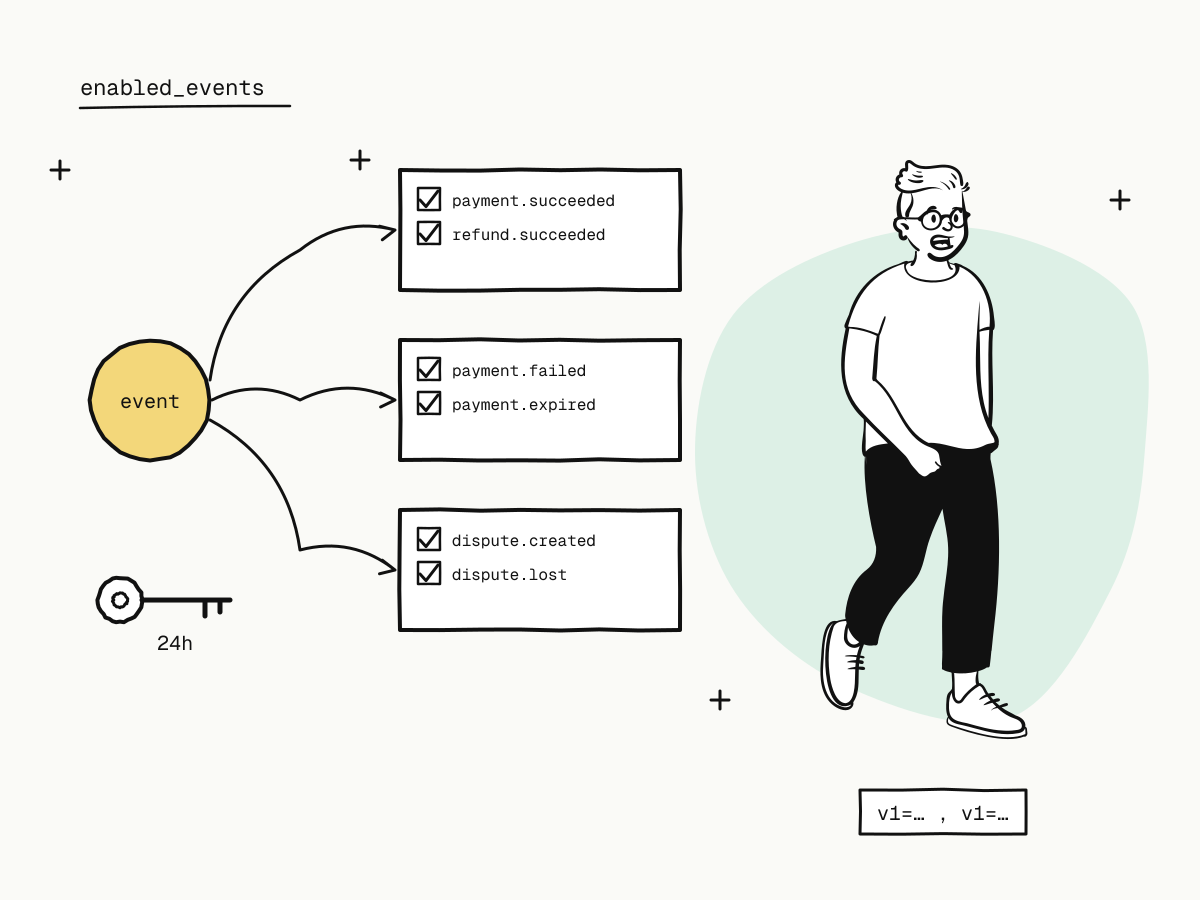
Which events should an endpoint subscribe to?
| Endpoint's job | Subscribe to |
|---|---|
| Fulfilment | payment.succeeded |
| Stock and order cleanup | payment.failed, payment.expired |
| Finance and refunds | refund.succeeded, refund.failed, payment.duplicate_refunded |
| Disputes | dispute.created, dispute.updated, dispute.won, dispute.lost, dispute.closed |
Two rules:
- Do not subscribe to success alone across all your endpoints — without failure and expiry events, orders that will never be paid stay open forever. Payment status explained maps each event to a status change.
["*"]means everything, including event types added later. Use it for a catch-all logger; give job-specific endpoints an explicit list so a new event type cannot surprise them.
Store the signing secret straight away
The create response includes the endpoint's signing secret:
{
  "object": "webhook_endpoint",
  "endpoint_id": "whe_8c2f41ab9d0e7635",
  "url": "https://api.yourshop.com/hooks/kukopay",
  "enabled_events": ["payment.succeeded", "refund.succeeded"],
  "status": "enabled",
  "secret": "whsec_4f81a2c9..."
}
The secret is returned only at creation and rotation. It is stored encrypted and can never be read back — so someone who sees your dashboard still cannot get it. Save it to your secrets store immediately; if you lose it, rotate to get a new one.
How to rotate a webhook secret without dropping events
curl -X POST "https://api.kukopay.com/v1/webhook_endpoints/whe_8c2f41ab9d0e7635/rotate_secret" \
  -H "X-Api-Key: $KUKOPAY_API_KEY"
Rotation issues a new secret and keeps the old one signing alongside it for 24 hours. Every delivery in that window carries both signatures in one header:
X-KukoPay-Signature: t=1762300800,v1=9c1f...,v1=3ea7...
                                  new        old
So you can deploy the new secret at any moment in the window — no need to switch at the same second as the platform. The one requirement: your verification must accept a delivery if any v1= matches. Code that keeps only the first or last signature fails every delivery during rotation; payment webhook not received explains the pitfall.
Pause an endpoint instead of deleting it
curl -X POST "https://api.kukopay.com/v1/webhook_endpoints/whe_8c2f41ab9d0e7635" \
  -H "X-Api-Key: $KUKOPAY_API_KEY" \
  -H "Content-Type: application/json" \
  -d '{ "status": "disabled" }'
Disabling keeps the endpoint's delivery history, so you can still see what it missed. A deleted endpoint loses that history, and deliveries to it stop. Events are never lost either way — they can be read back from the events API.
Endpoints vs an order's notify_url
| The order was created… | Its events go to |
|---|---|
with a notify_url | only that URL, signed with the app's callback secret |
without a notify_url | every enabled endpoint of the order's app, plus account-wide endpoints, subscribed to that event type |
Use notify_url when one order's events belong to one specific system; use endpoints for everything else. A live order without a notify_url needs at least one live endpoint subscribed to payment.succeeded.
Testing a new endpoint
Send test callback under Developers → Sandbox testing sends a correctly signed test event to an endpoint and shows what your server answered. Its id starts with evt_test_ and it carries "test": true — make sure your handler ships nothing for it. See test credit card numbers for payment testing for the other sandbox tools.
Summary
- Use several webhook endpoints to separate jobs, failures and secrets — up to 5 per app and environment;
- subscribe each endpoint to the events its job needs, and make sure failures and expiries are covered somewhere;
- save the signing secret at once — it is shown only at creation and rotation;
- rotation signs with old and new secrets for 24 hours; accept any matching
v1=; - disable rather than delete to keep delivery history;
- an order's
notify_urloverrides endpoints for that order.
Try it in the sandbox
Create a merchant account and request a test key. The sandbox needs no business verification.