How to accept RMB (CNY) payments online from customers in China
How to accept RMB (CNY) payments online from customers in China: CNY pricing, Alipay, WeChat Pay and UnionPay, costs, and how CNY is paid out.
On this page
To accept RMB (CNY) payments online from customers in China, you need three things: a checkout that can charge in CNY, the payment methods Chinese buyers use — Alipay, WeChat Pay and UnionPay cards — and an account that holds and pays out the CNY you receive. A cross-border payment provider brings these together, so you do not need a separate contract with each wallet or a bank account in mainland China to start.
This guide explains how to accept RMB payments with KukoPay: pricing in CNY, the methods to offer, what it costs, how the CNY balance works, and the details — refund deadlines, language, limits — that matter for Chinese buyers.
Why charge in RMB?
- Buyers see the price they pay. A price in CNY needs no mental conversion and no surprise from the buyer's bank's exchange rate.
- Wallets are the default. For many buyers in mainland China, Alipay or WeChat Pay — not an international credit card — is how they pay online.
- It keeps the amount honest. On KukoPay nothing is converted automatically: a CNY order is charged, credited, refunded and paid out in CNY, so there is no exchange margin between the price shown and the amount you receive.
How to accept RMB payments with KukoPay
Get CNY enabled
The sandbox takes USD, HKD and CNY with no review. For live payments, the platform enables currencies when it approves your business verification — say you need CNY when you apply, or ask the platform to add it later. See what is KYB verification.
Enable the payment methods Chinese buyers use
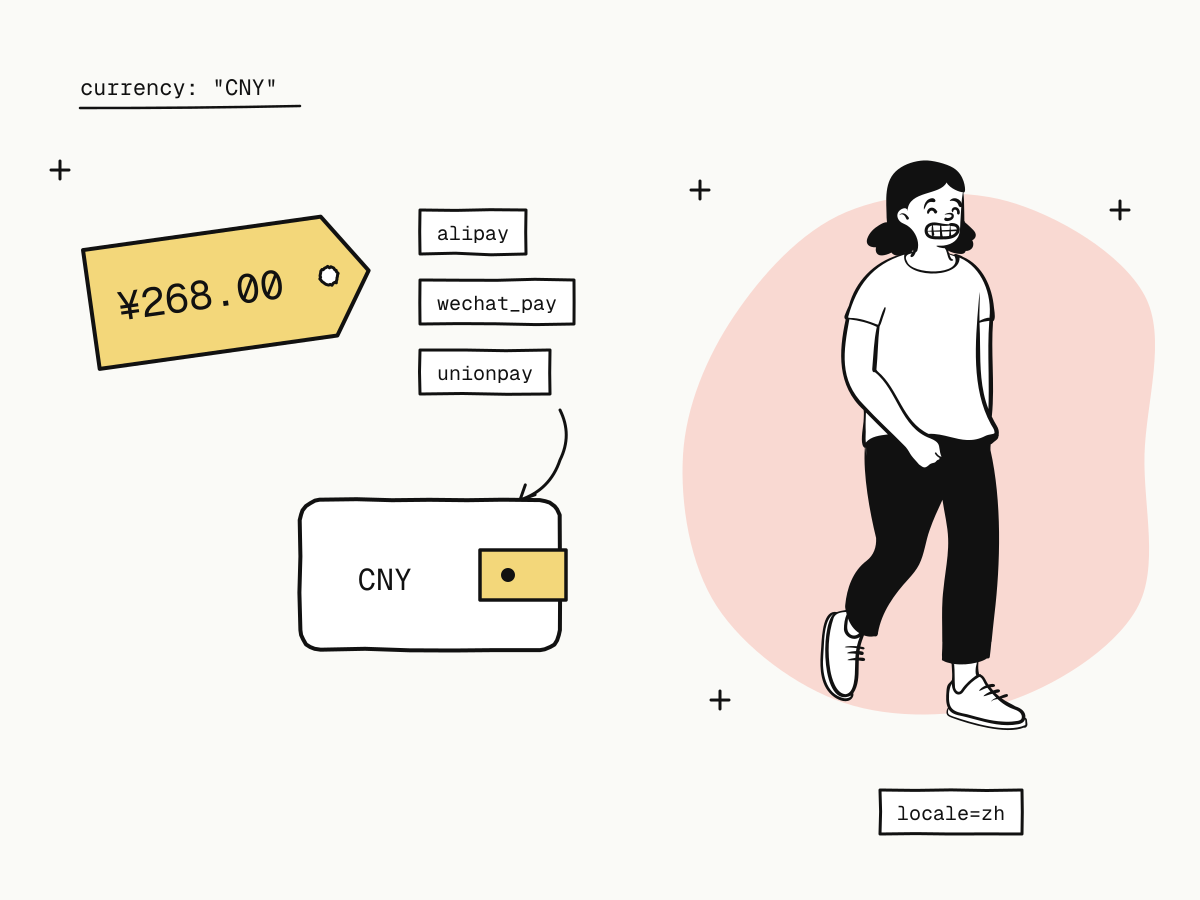
Cards (including UnionPay), and Alipay and WeChat Pay. If the wallets are not in your base set, request them under Settings → Payment methods — see how to accept Alipay and WeChat Pay online.
Create orders in CNY
Set "currency": "CNY" and the amount in fen (the minor unit): 26800 is ¥268.00.
Show the checkout in Chinese
Pass "locale": "zh", or add &locale=zh to the checkout URL, so the checkout, receipt and receipt email are in Chinese — see multilingual checkout.
curl -X POST "https://api.kukopay.com/v1/orders" \
  -H "Content-Type: application/json" \
  -H "X-Api-Key: $KUKOPAY_API_KEY" \
  -d '{
    "amount": 26800,
    "currency": "CNY",
    "subject": "年度會員",
    "locale": "zh",
    "receipt_email": "[email protected]"
  }'
Which payment methods should you offer for RMB?
| Method | How the buyer pays | Fee group |
|---|---|---|
| Alipay | Redirected to Alipay to approve | local_wallet |
| WeChat Pay | Scans a QR code with WeChat | local_wallet |
| UnionPay and other cards | Card form on the checkout | card |
The checkout shows only the methods enabled on your account and available for the order, so a buyer is never offered one that cannot take it.
What does it cost to accept RMB?
At standard pricing every successful payment costs 3.5% plus ¥2.00 on a CNY order, whichever method the buyer uses; signed rates can differ by fee group.
¥268.00 paid with WeChat Pay fee = round(26800 × 3.5% + 200) = 1138 → ¥11.38, net ¥256.62How cross-border payment fees are calculated works through small orders and the effective rate.
How is the RMB held and paid out?
- A separate CNY balance. CNY payments are credited to your CNY wallet, refunds come out of it, and payouts are made from it — USD and HKD are separate balances.
- No automatic conversion. If you want another currency, price in that currency instead.
- Payouts go to your reviewed settlement account, with a minimum of ¥100.00 per payout and a flat fee per payout — see what is payment settlement and the payout rules.
Details that matter for Chinese buyers
- Wallet refunds have a deadline. Alipay and WeChat Pay payments can only be refunded within a window; the order's
refundable_untilgives the date. Refund promptly — see partial refunds explained. - Fulfil on the webhook. Wallet buyers leave your page to approve, so the redirect back is not proof of payment.
- Individual merchants have CNY limits. If you are verified as an individual, CNY payments are capped (by default ¥7,000 per payment, ¥35,000 per rolling 24 hours and ¥200,000 per rolling 30 days) — see payment limits explained.
- Test first. In the sandbox, Alipay and WeChat Pay open a test approval page and UnionPay has its own test card — see test credit card numbers.
Summary
- To accept RMB payments online you need CNY pricing, Chinese buyers' payment methods and a CNY balance to hold and pay out from;
- on KukoPay: enable CNY for live, offer Alipay, WeChat Pay and UnionPay cards, create orders with
currency: "CNY"and show the checkout in Chinese; - standard pricing is 3.5% plus ¥2.00 per payment;
- CNY is its own balance, never converted automatically, paid out with a ¥100.00 minimum;
- mind wallet refund deadlines, fulfil on webhooks, and check limits if you are an individual merchant.
Try it in the sandbox
Create a merchant account and request a test key. The sandbox needs no business verification.