Python payment integration: accept payments in Flask or Django, with webhooks
A Python payment integration step by step: create an order with requests, redirect to checkout, verify the webhook in Flask or Django, and fulfil once.
On this page
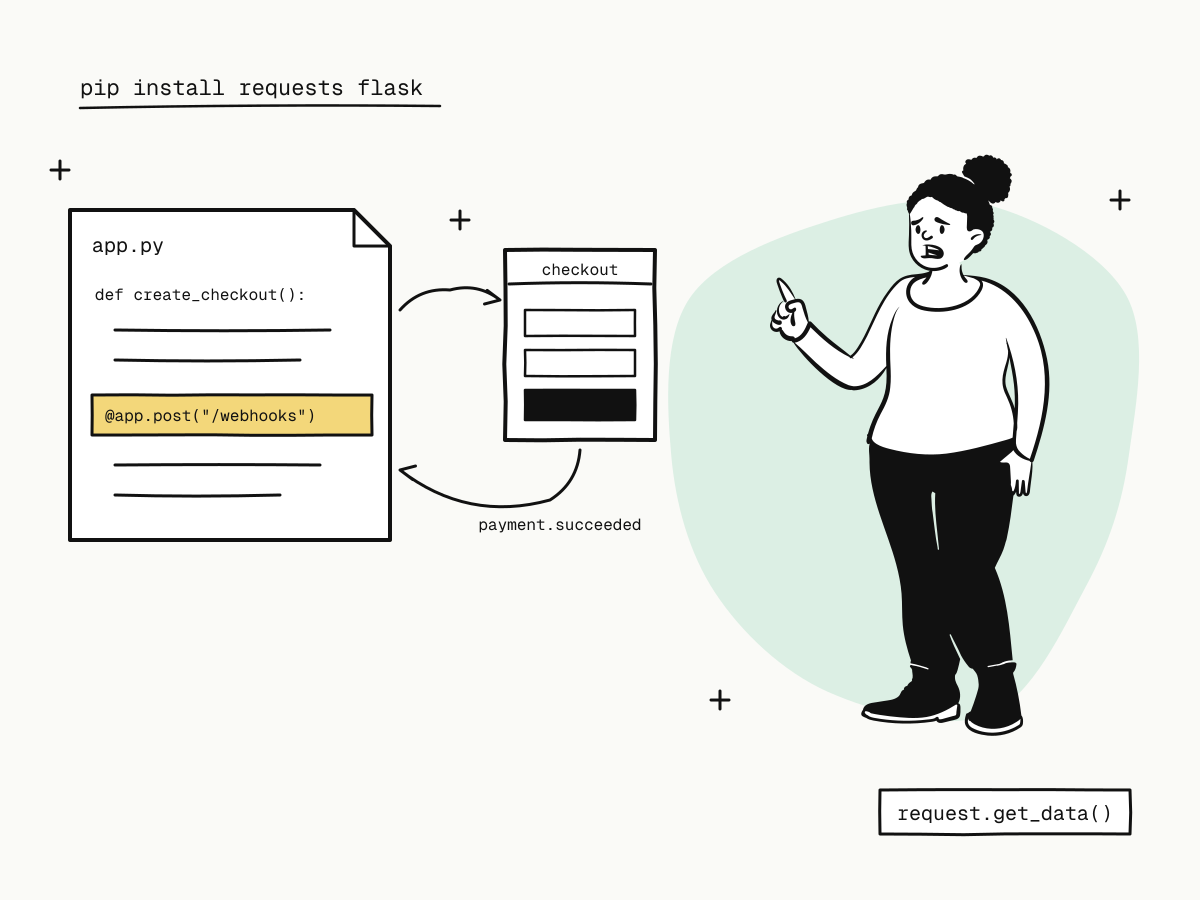
A Python payment integration comes down to two pieces of server code: a function that creates an order and returns a checkout link, and a view that receives the webhook confirming the payment. The hosted checkout handles cards, wallets and 3D Secure, so your Flask or Django app never sees card details and has no payment form to secure.
This tutorial builds a Python payment integration with KukoPay: creating orders with requests, a Flask webhook view (with the Django equivalent), signature verification on the raw body, fulfilling exactly once, and testing it in the sandbox.
What you need
- Python 3.9+ with
requests, and Flask or Django. - A sandbox API key (
kuko_test_…) from Developers → API keys, plus the app's callback signing secret from the same page. No business verification is needed for the sandbox. - A public HTTPS address for the webhook while you develop — see how to test webhooks locally.
pip install requests flask
export KUKOPAY_API_KEY=kuko_test_...
export KUKOPAY_WEBHOOK_SECRET=...
export PUBLIC_URL=https://your-tunnel.example.com
Step 1: create the order
import os, requests

API = "https://api.kukopay.com/v1"

def create_checkout(order_id: str, amount_cents: int, subject: str) -> str:
    r = requests.post(
        f"{API}/orders",
        headers={
            "X-Api-Key": os.environ["KUKOPAY_API_KEY"],
            "Idempotency-Key": f"create-{order_id}",
        },
        json={
            "out_trade_no": order_id,
            "amount": amount_cents,          # integer cents: 2990 = $29.90
            "currency": "USD",
            "subject": subject,
            "notify_url": f"{os.environ['PUBLIC_URL']}/webhooks/kukopay",
            "return_url": f"{os.environ['PUBLIC_URL']}/orders/{{OUT_TRADE_NO}}/complete",
        },
        timeout=15,
    )
    body = r.json()
    if not r.ok:
        raise RuntimeError(f"create order failed: {body.get('error')} request_id={body.get('request_id')}")
    return body["data"]["checkout_url"]
Redirect the buyer to the returned checkout_url. Three habits worth keeping:
- Your order id is the
out_trade_no. Creating the same order again returns the existing one, so a retry after a timeout is safe — see what is an idempotency key. - The amount is an
intin cents that your server computed. Never afloat, never from the browser — see why payment APIs take the amount in cents. - Log
request_idon errors. It finds the call in your API logs — see payment API error handling.
Note the doubled braces in the f-string: {{OUT_TRADE_NO}} sends the literal placeholder, which KukoPay replaces with your order number when the buyer returns.
Step 2: verify the webhook in Flask
import hashlib, hmac, json, time
from flask import Flask, request, abort

app = Flask(__name__)

def verify(raw: bytes, header: str, secret: str) -> bool:
    t, sigs = None, []
    for item in header.split(","):
        k, _, v = item.strip().partition("=")
        if k == "t":
            t = v
        elif k == "v1":
            sigs.append(v)
    if not t or not sigs or abs(time.time() - int(t)) > 300:
        return False
    expected = hmac.new(secret.encode(), f"{t}.".encode() + raw, hashlib.sha256).hexdigest()
    return any(hmac.compare_digest(expected, s) for s in sigs)

@app.post("/webhooks/kukopay")
def kukopay_webhook():
    raw = request.get_data()                       # raw bytes, before any JSON parsing
    if not verify(raw, request.headers.get("X-KukoPay-Signature", ""), os.environ["KUKOPAY_WEBHOOK_SECRET"]):
        abort(400)
    event = json.loads(raw)
    if event.get("test"):
        return "", 200                             # test webhook: acknowledge, never fulfil
    handle_event(event)
    return "", 200
Verify request.get_data() — the exact bytes received — not request.json re-serialised. Collect every v1: during a secret rotation the header carries two. See how to verify webhook signatures.
The same view in Django
from django.http import HttpResponse, HttpResponseBadRequest
from django.views.decorators.csrf import csrf_exempt
from django.views.decorators.http import require_POST

@csrf_exempt                                       # the signature replaces CSRF here
@require_POST
def kukopay_webhook(request):
    raw = request.body
    if not verify(raw, request.headers.get("X-KukoPay-Signature", ""), os.environ["KUKOPAY_WEBHOOK_SECRET"]):
        return HttpResponseBadRequest()
    event = json.loads(raw)
    if not event.get("test"):
        handle_event(event)
    return HttpResponse(status=200)
Step 3: fulfil exactly once
def handle_event(event: dict) -> None:
    with db.transaction():
        if not db.insert_event_if_absent(event["id"]):    # unique constraint on the event id
            return                                         # already processed
        if event["type"] == "payment.succeeded":
            order = event["data"]["object"]
            db.mark_paid(order["out_trade_no"], trade_no=order["trade_no"], amount=order["amount"])
            queue.enqueue("fulfil", order["out_trade_no"])
Record the event id and the state change in one transaction, check the amount against your own order, and hand slow work to a queue (Celery, RQ) so the view answers within 10 seconds. See payment webhook idempotency.
Step 4: look up an order when you need to
def order_status(out_trade_no: str) -> str:
    r = requests.get(f"{API}/orders/{out_trade_no}",
                     headers={"X-Api-Key": os.environ["KUKOPAY_API_KEY"]}, timeout=15)
    return r.json()["data"]["status"]     # "pending", "paid", "expired", "failed", ...
Use it for the success page and for recovery jobs — see payment success page — not as the trigger for fulfilment.
Step 5: test in the sandbox
- Create an order and pay at the checkout with
4242 4242 4242 4242(any future expiry, any CVC); try a decline with4000 0000 0000 0002. See test credit card numbers. - Return
500from the view once and confirm the retried event is deduplicated. - If verification fails, use Send test webhook and the signature self-check under Developers.
To go live, swap the kuko_test_ key and the sandbox signing secret for the same app's live values; the code does not change. The same flow in JavaScript is in Node.js payment integration.
Summary
- A Python payment integration needs a function that creates the order and returns
checkout_url, and a webhook view; - create orders with
requests, using your order id asout_trade_no, an integer amount and anIdempotency-Key; - verify
X-KukoPay-Signatureon the raw body —request.get_data()in Flask,request.bodyin Django — and accept any matchingv1; - record the event id and fulfil in one transaction, acknowledge test webhooks without acting;
- test with sandbox keys, test cards and a tunnel, then switch to live keys.
Try it in the sandbox
Create a merchant account and request a test key. The sandbox needs no business verification.